Blog · 12 min read
5 Best AI Outbound Tools for Sales Teams
Your sales team has a list of thousands of potential customers, but finding the right people, researching their businesses, and writing personalized messages takes time and effort.
AI outbound tools help automate much of this process. They can identify potential customers, research prospects, generate personalized messages, build outreach sequences, and manage follow-ups. Some handle the entire outbound workflow, while others focus on specific tasks like lead generation, email personalization, or sales engagement.
I ranked 5 AI outbound tools across just as many categories to see how well they help sales teams find prospects, personalize outreach, and run campaigns across multiple channels.
How I Evaluated These Tools
I set up and ran campaigns for some of my general outreach use cases across five AI outbound tools. I focused on five things:
- Prospecting and data coverage: How easily can you find companies and decision-makers that match your ICP? How much contact and company information is available?
- Buying signals and intent data: What signals can the platform track, and how useful are they for identifying potential opportunities?
- AI research and personalization: Can it research companies and individual prospects, identify relevant details, and use that information to generate personalized outreach?
- Data quality and freshness: How reliable is the information, how often is it updated, and does it provide enough context to act on?
- Personalization and automation: Can the platform research prospects, generate relevant messages, and automate follow-ups across different outreach channels?
I also considered how these features work together. A tool might have a large contact database or impressive AI capabilities, but that doesn't necessarily make it the best fit if you still have to manage most of the prospecting and outreach manually.
Best AI Outbound Tools For Sales Teams: Comparison Table
| Tool | Best for | Key AI capabilities | Starting price |
|---|---|---|---|
| Coolie | All-in-one AI outbound | AI prospect discovery, buying signal detection, research, and message personalization | $123/month |
| Apollo | Access to a large database of contacts | AI prospect search, account research, and email personalization | $65/user/month |
| LinkedIn Sales Navigator | LinkedIn lead discovery | AI account and lead research, InMail drafting | $119.99/month |
| ZoomInfo | Enterprise sales intelligence | AI account research, lead prioritization, and workflow recommendations | Custom pricing |
| Clay | Custom prospecting workflows | AI-powered research, lead qualification, and data enrichment | From $185/month |
1. Coolie
Best for: Sales teams looking to automate signal-based prospect discovery, research, personalization, and multichannel outreach from one platform.
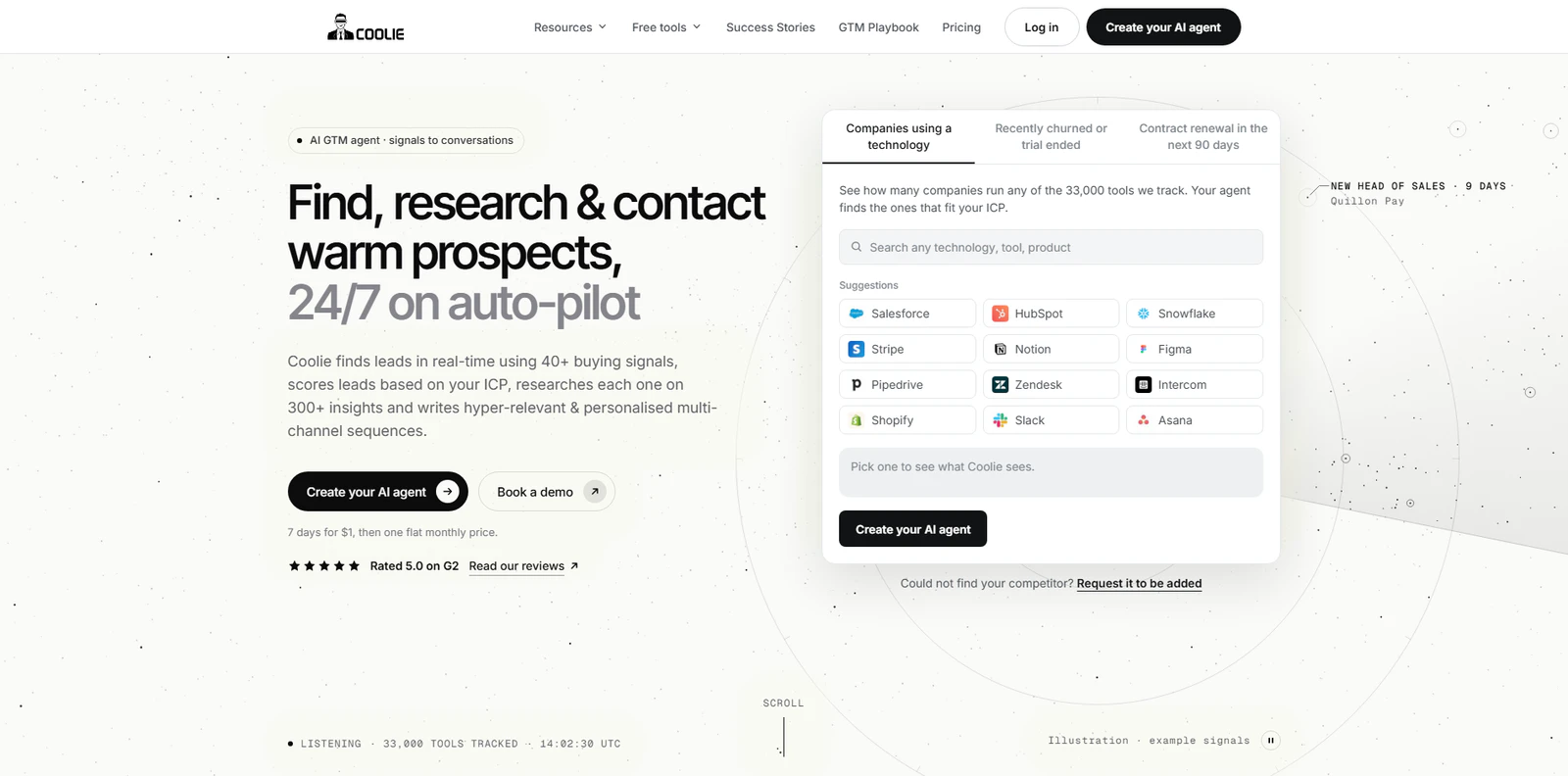
Coolie’s AI features help sales teams find potential customers, identify relevant buying signals, and reach prospects with personalized messages across email, LinkedIn, and WhatsApp.
To get started, create a Prospect Agent and enter your website URL. Coolie uses this information to identify your ideal customer profiles (ICPs). You can adjust these with filters like industry, company size, location, and job titles.
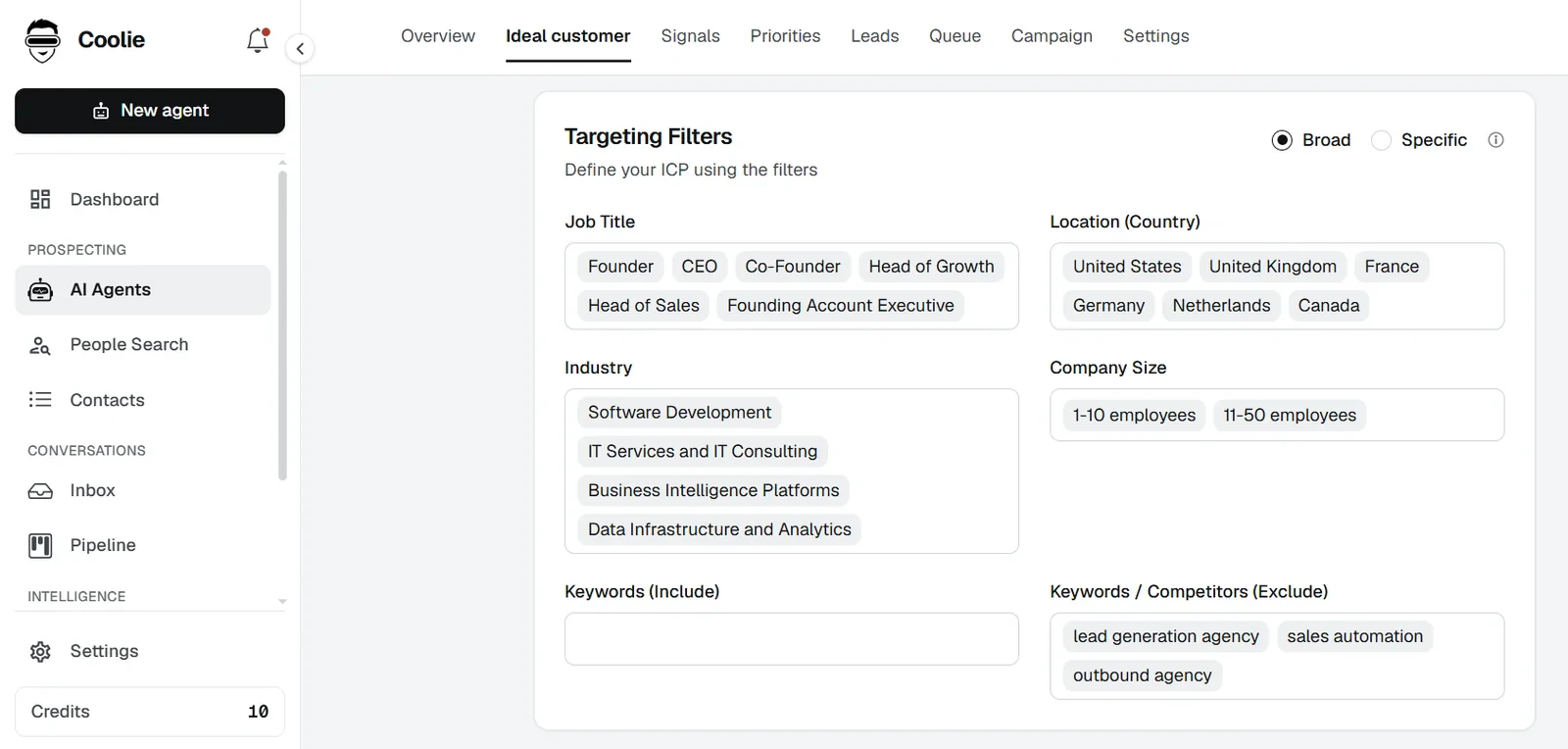
Once you've defined your target audience, select the buying signals you want to track. Coolie covers 40+ of these, including:
- Competitor activity: Identify companies that recently churned from competitors, ended a trial, or are approaching contract renewals.
- Technology and buying intent: Find companies using specific technologies or researching topics relevant to your product.
- Hiring and company growth: Track hiring activity, job changes, and changes in company headcount.
- LinkedIn engagement: Find prospects interacting with your posts, competitor content, and industry discussions.
You can also use its AI features in the People Search tool to find decision-makers using super-specific prompts. For example, here I used the prompt “CMOs at US-based SaaS companies with 50–200 employees that use HubSpot”, without having to tinker with any filters manually.
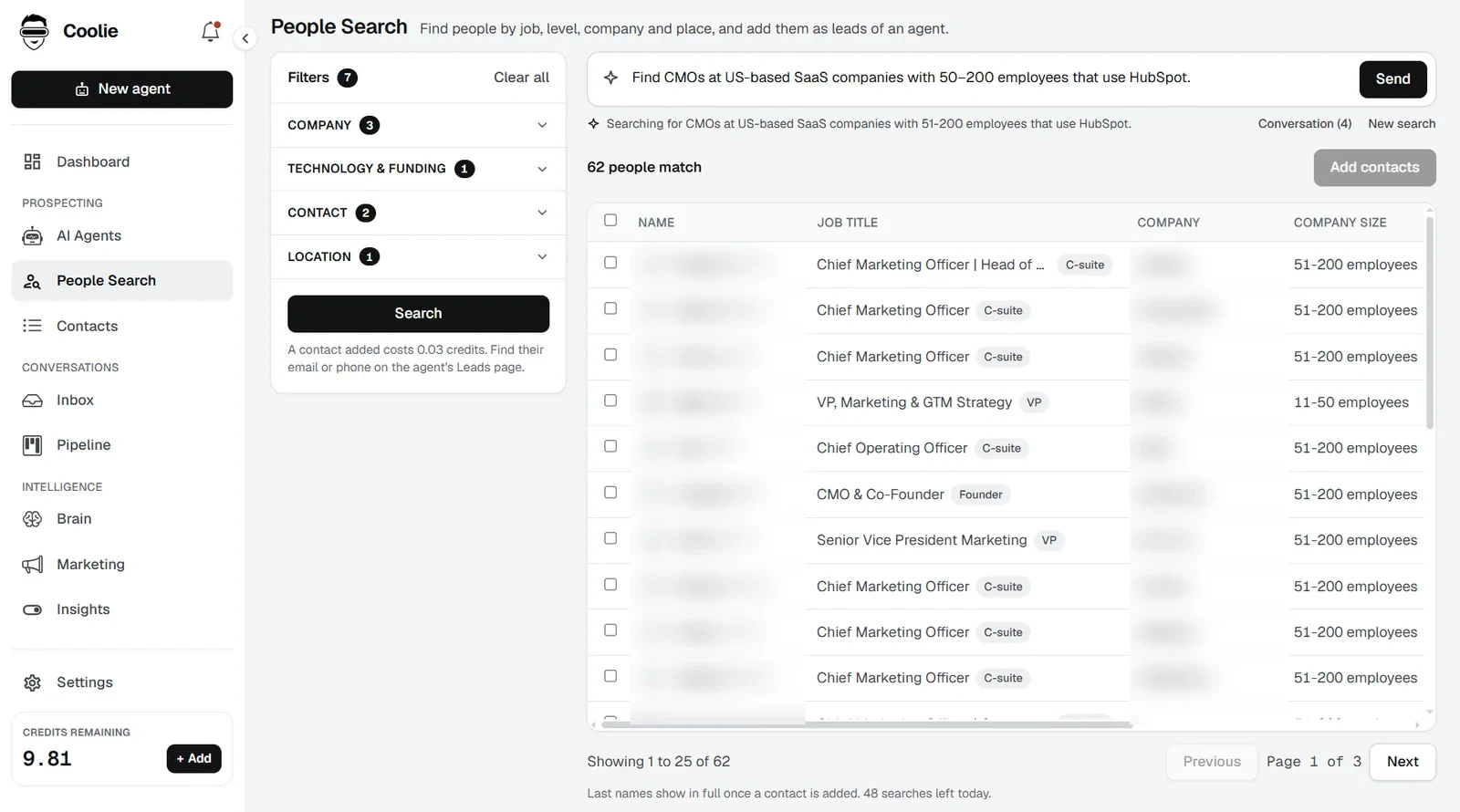
Or, if you'd rather just use regular filters, you have that option too. These cover job title, seniority, department, skills, location, industry, and company size.
Once you have a lead list, you can enrich contact details using Coolie's waterfall enrichment, which finds work email addresses through a waterfall of 15+ data providers, and phone numbers. If one provider doesn't have the required data, Coolie moves on to the next.
Coolie's AI research capabilities help personalize your outreach. The tool gathers information about each prospect and their company, including professional background and relevant company activity, then uses these insights to generate:
- Emails
- LinkedIn messages
- WhatsApp messages
- Cold call scripts
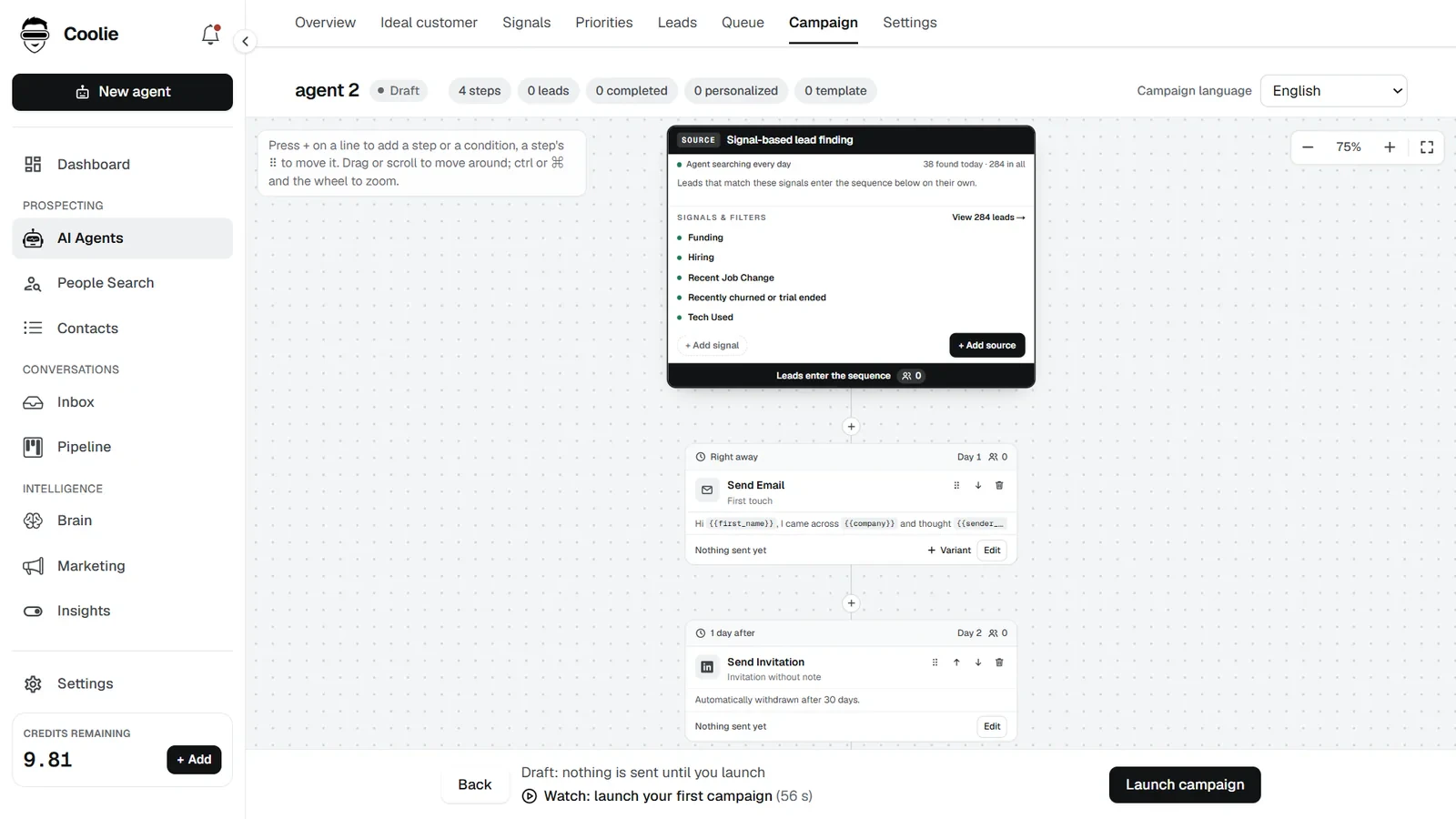
In a campaign, you can choose the tone, length, and framework of each message, write up to four versions of a step for A/B testing, and create subject lines. Coolie's Content Agent can also draft your LinkedIn and X posts in your own voice, learned from your past posts.
Plus, you can automate much of your LinkedIn workflow directly through Coolie's campaign builder. This includes:
- Visiting prospects' LinkedIn profiles.
- Liking and commenting on LinkedIn posts.
- Sending connection requests, messages, and InMails.
- Withdrawing connection requests that go unanswered.
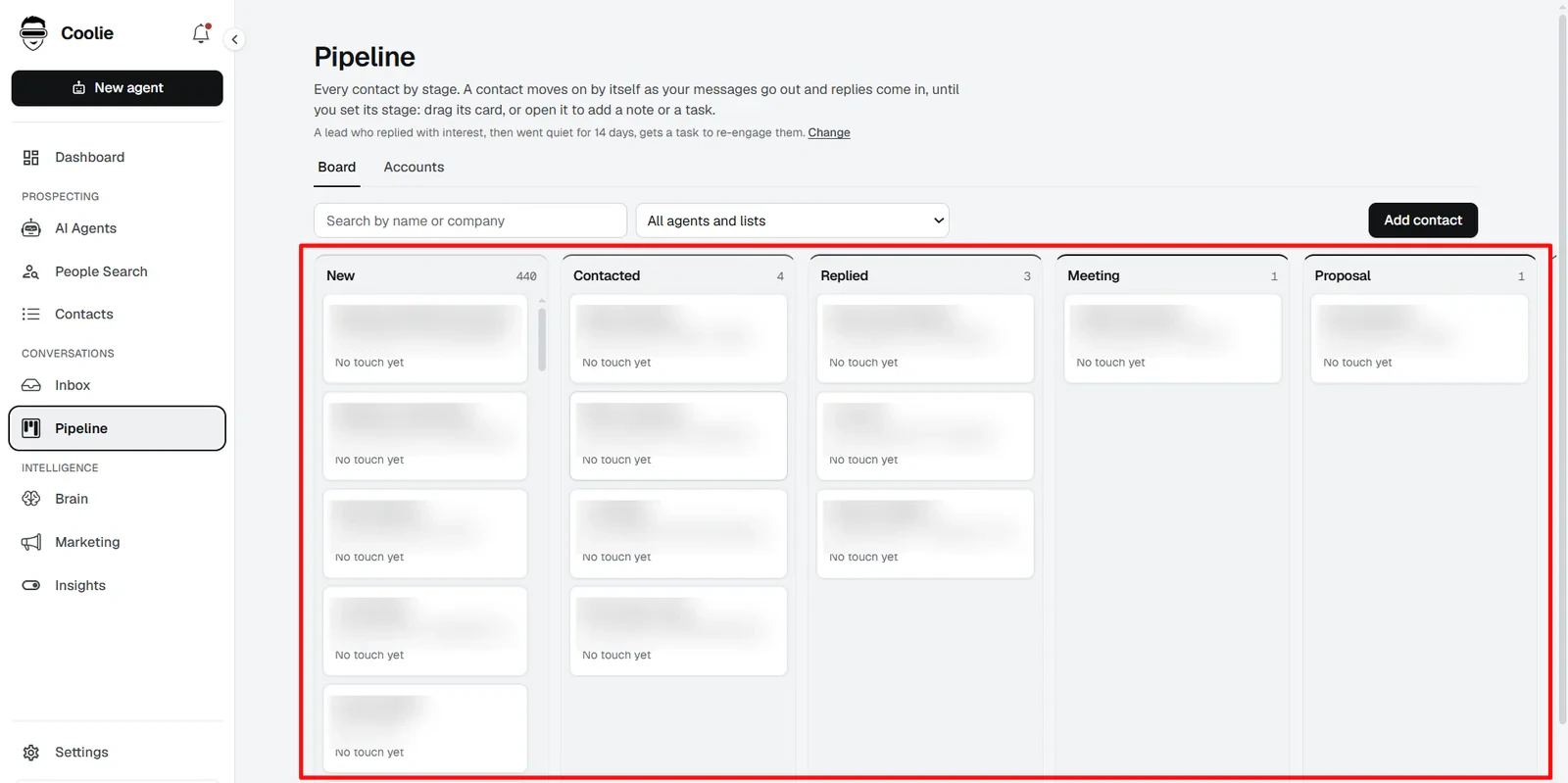
Plus, all of your activity lives under a centralized hub in Coolie. So you can send, read, and manage all your conversations across all channels from one platform and track every prospect's stage in the pipeline.
Pros
- Combines prospect discovery, AI research, personalization, and outbound automation in one platform
- Tracks 40+ buying signals, checked every day
- Supports personalized email, LinkedIn, and WhatsApp campaigns
- Automates LinkedIn engagement actions like profile visits and post interactions
- Offers AI-assisted replies and a unified inbox for managing multichannel conversations
Cons
- Enriching contacts and conducting prospect research costs credits
- Only creates cold calling scripts and isn’t a dialer
Pricing
- Starter: $123/month. Covers all of Coolie's features. Includes 2 Prospect Agents and 4 connected accounts across LinkedIn, email, and WhatsApp.
- Done-For-You: $1,531/month. Includes a dedicated account manager, ICP definition, buying signal identification, outbound strategy, email and LinkedIn campaign management, and infrastructure setup.
- Flat File: $494, with no monthly subscription. Provides a full data set of the buying signal you need, scraped in real time and delivered as a CSV.
2. Apollo
Best for: Sales teams looking to find, enrich, and engage B2B prospects using a large contact database and automated email sequences.
Apollo is a sales intelligence and engagement platform that helps you find potential customers, access their contact details, research companies, and run outbound campaigns.
Start with the ‘Prospect and enrich’ tab: define your target audience using filters such as job title, seniority, industry, company size, location, and technologies used. You can look up either just companies or even individual people. Apollo claims a database of 240 million contacts and 30 million companies, so the list is quite big.
If you'd rather not configure filters manually, its AI Assistant lets you describe the prospects you're looking for in a prompt. It can find matching contacts, research companies, and help qualify leads.
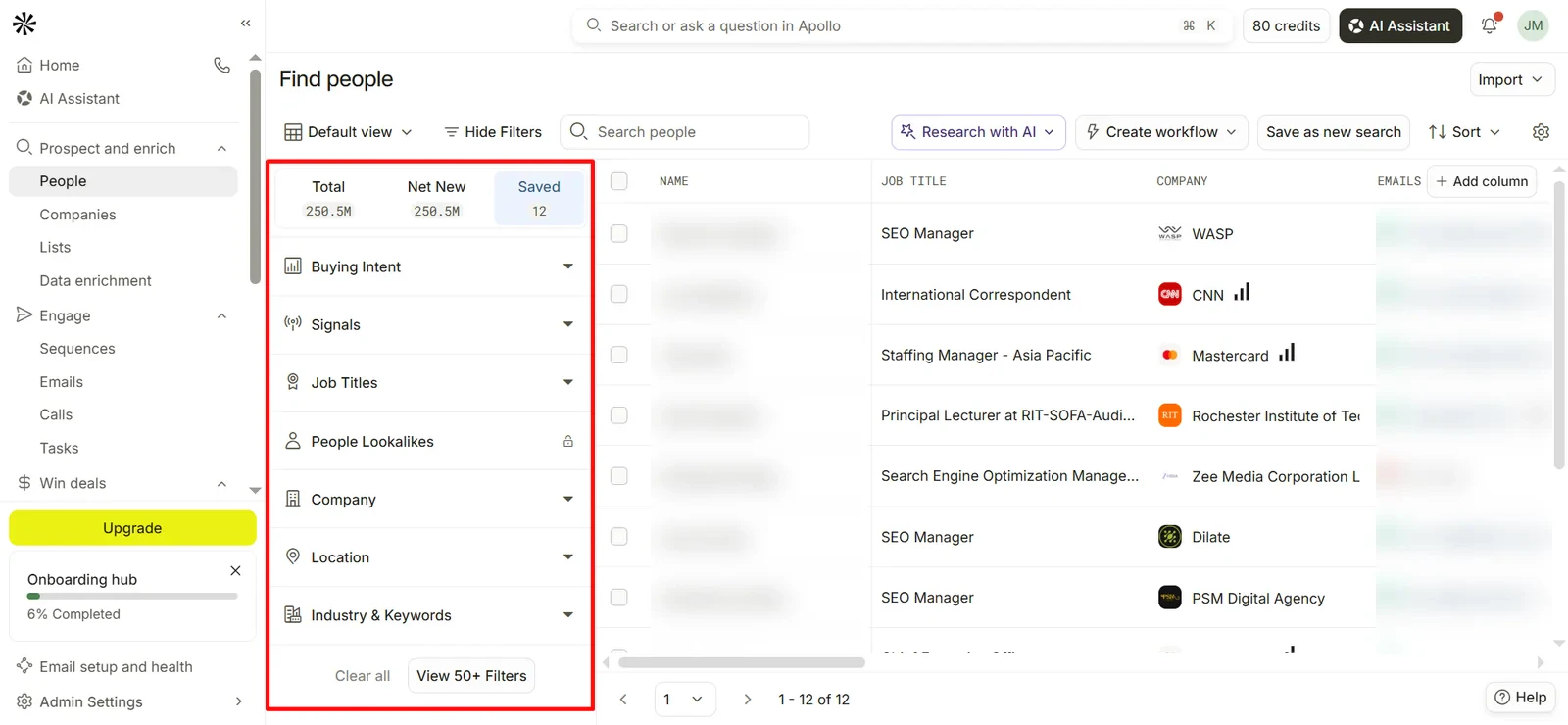
Once you've built a list, you can access business emails and phone numbers through Apollo's native enrichment features. It also supports waterfall enrichment, so you have the option to check multiple data providers when contact information is missing, but doing so costs credits.
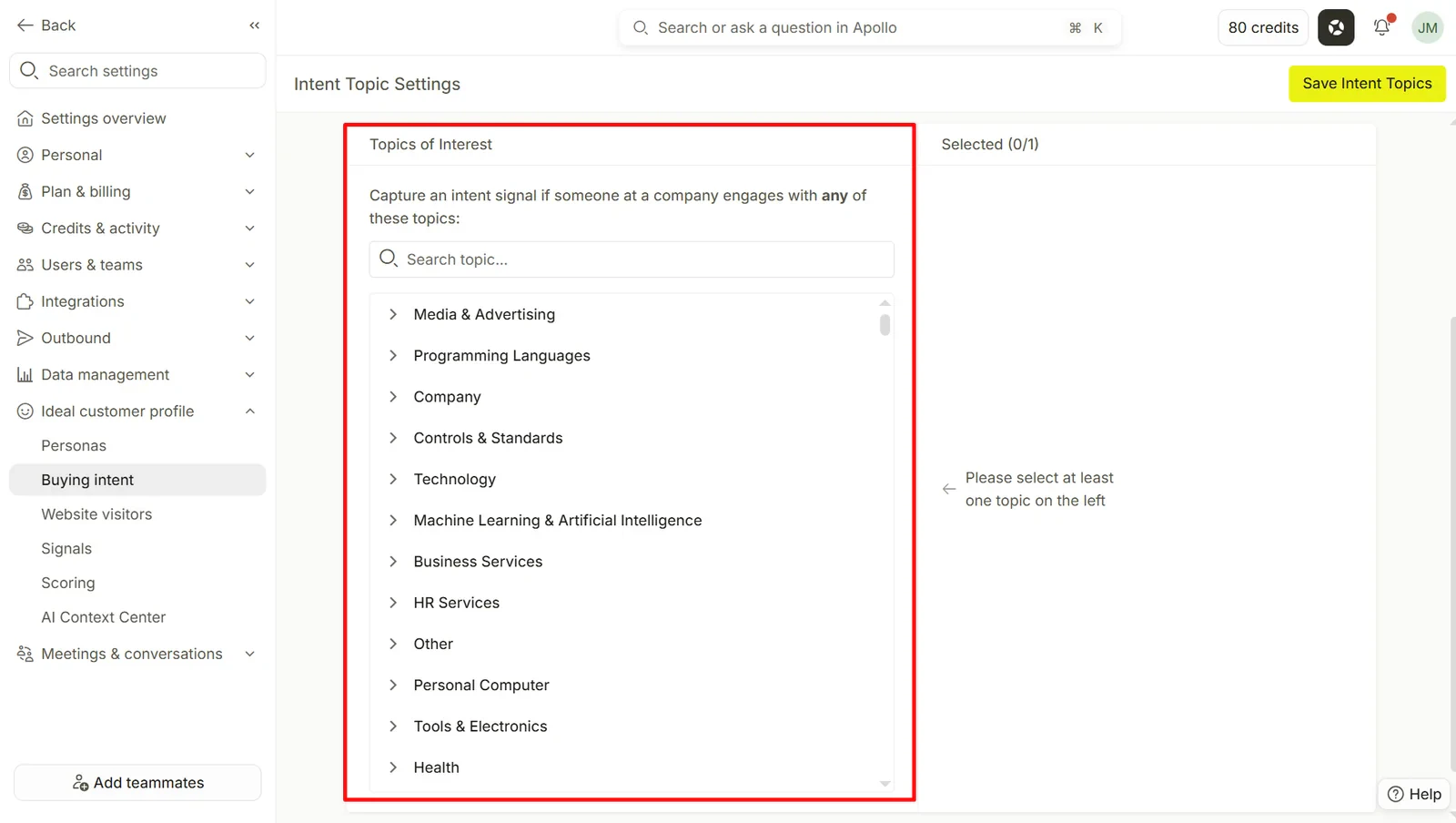
Apollo's Buying Intent feature (powered by third-party Bombora data) helps identify companies researching topics relevant to your product. You can choose from hundreds of topics and filter accounts by intent score. But keep in mind that this data is only refreshed weekly and is different from the action-based signals you get with a tool like Coolie.
The number of active topics you can track also depends on your subscription. Basic and Professional plans only get you a maximum of 6.
For outreach, Apollo's Sequence builder combines automated emails, follow-ups, calls, and LinkedIn tasks. You can configure sending schedules, delays, and conditional rules. The big drawback is that LinkedIn actions (like visiting profiles and sending connection requests) require manual execution on your part.
So Apollo will tell you what to do, but not actually do it for you. Which was a big bummer when I tried to automate a LinkedIn outreach strategy with the tool to test its capabilities.
On the plus side, its AI tools can research prospects and generate personalized emails, subject lines, and snippets, although usage limits and additional credit costs apply to certain features.
Pros
- Large B2B database with extensive search filters
- Supports native and third-party waterfall enrichment
- AI-assisted prospect research and personalization
Cons
- Buying Intent data is only refreshed weekly
- Active intent topics and AI features have plan limits
- LinkedIn actions require manual execution, with no native WhatsApp outreach
Pricing
- Free: $0/month, with 75 credits per month.
- Basic: $65/user/month billed monthly ($49 billed annually), with 2,500 credits per month.
- Professional: $99/user/month billed monthly ($79 billed annually), with 4,000 credits per month.
- Organization: $119/user/month, billed annually only, with a three-seat minimum and 72,000 credits per user per year.
3. LinkedIn Sales Navigator
Best for: Sales teams looking to find decision-makers, research target accounts, and identify potential prospects through LinkedIn.
LinkedIn Sales Navigator is LinkedIn's very own sales prospecting platform. It gives you access to advanced search filters, account insights, and engagement signals to help you find people who might be interested in your product.
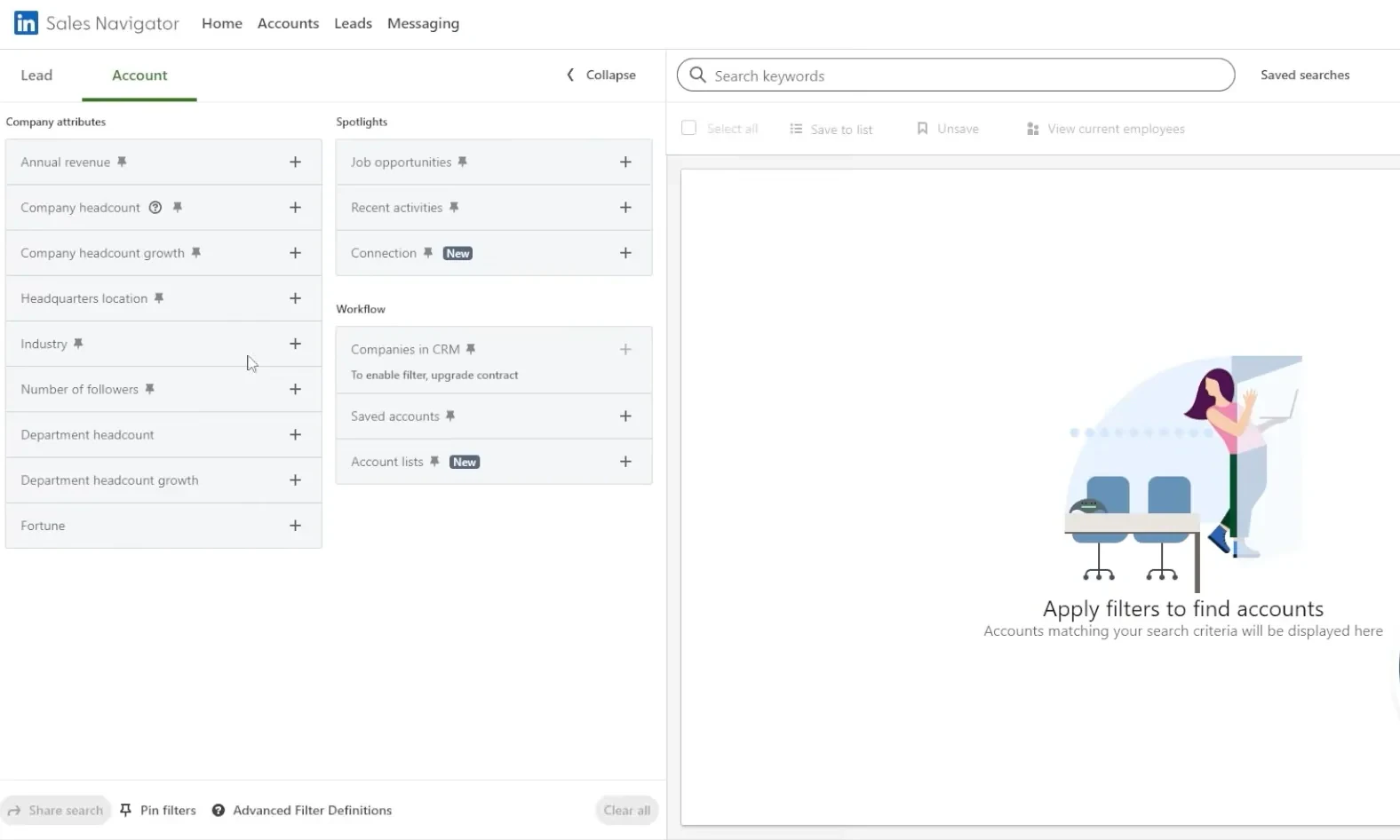
Start with Lead Search or Account Search to define your target audience. You can filter people by job title, seniority, industry, location, company, and even recent job changes or LinkedIn activity. You can also save leads and accounts to keep track of prospects you're interested in.
Once you've found a potential customer, Sales Navigator gives you a few ways to research them before reaching out. Lead IQ and Account IQ use AI to summarize professional backgrounds, company information, and relevant business developments. Relationship Explorer can also help you identify potential decision-makers and find connections within your target accounts.
Sales Navigator also gives you information on people visiting your LinkedIn company page, following your page, engaging with your ads, and visiting your website. But buyer intent features are only available on the Advanced and Advanced Plus plans.
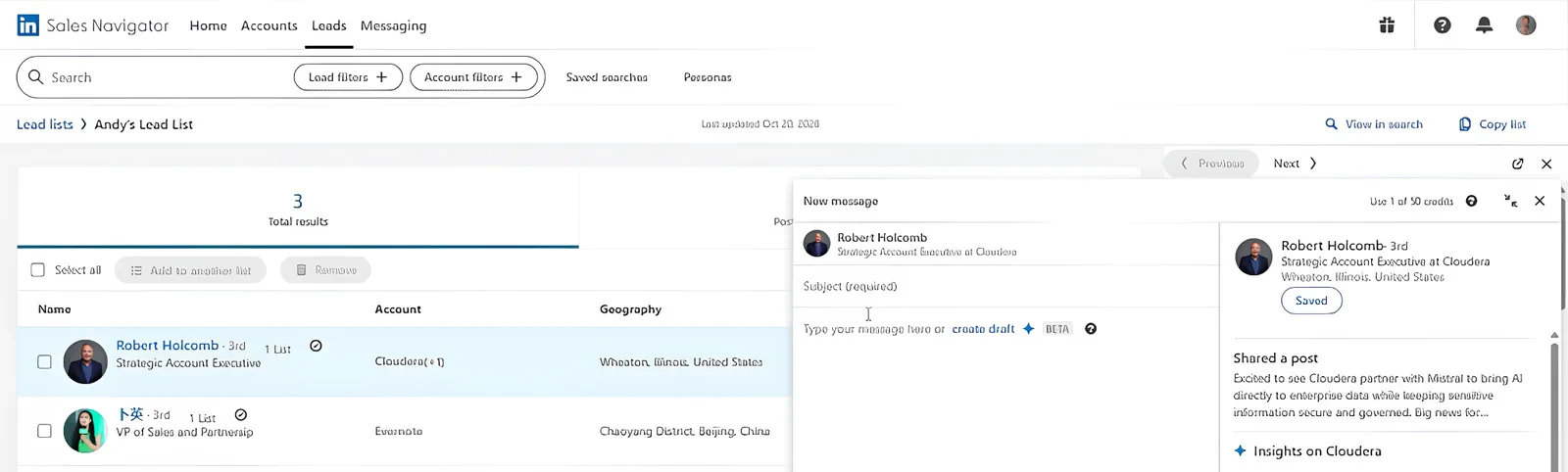
For outreach, you can contact prospects directly through InMail, even if you're not connected on LinkedIn. Its Message Assist feature can help draft personalized messages using information from Lead IQ and Account IQ, though this isn’t the best writing tool I’ve used. You still need significant manual input before you get something halfway decent.
Sales Navigator doesn't offer automated multistep outreach sequences, so you'll need another tool if you want to coordinate email and LinkedIn campaigns.
Pros
- LinkedIn's own platform, so the quality of data is top-notch
- Helps identify decision-makers and map buying committees
- LinkedIn engagement and website visitor intent signals
- AI-assisted account research and InMail personalization
Cons
- Doesn't provide full contact enrichment for email addresses and phone numbers
- No automated multistep email or LinkedIn outreach sequences
- Buyer Intent and team collaboration features require higher-tier plans
Pricing
- Core: $119.99/month
- Advanced: $159.99/month
- Advanced Plus: Custom pricing.
4. ZoomInfo
Best for: Enterprise sales teams looking for detailed B2B contact data, account intelligence, and buying signals to prioritize their outbound campaigns.
ZoomInfo is a B2B sales intelligence platform that helps you find potential customers, research target accounts, identify buying signals, and reach decision-makers. You can search for individual contacts or companies using filters such as job title, seniority, industry, location, company size, revenue, and technologies used.
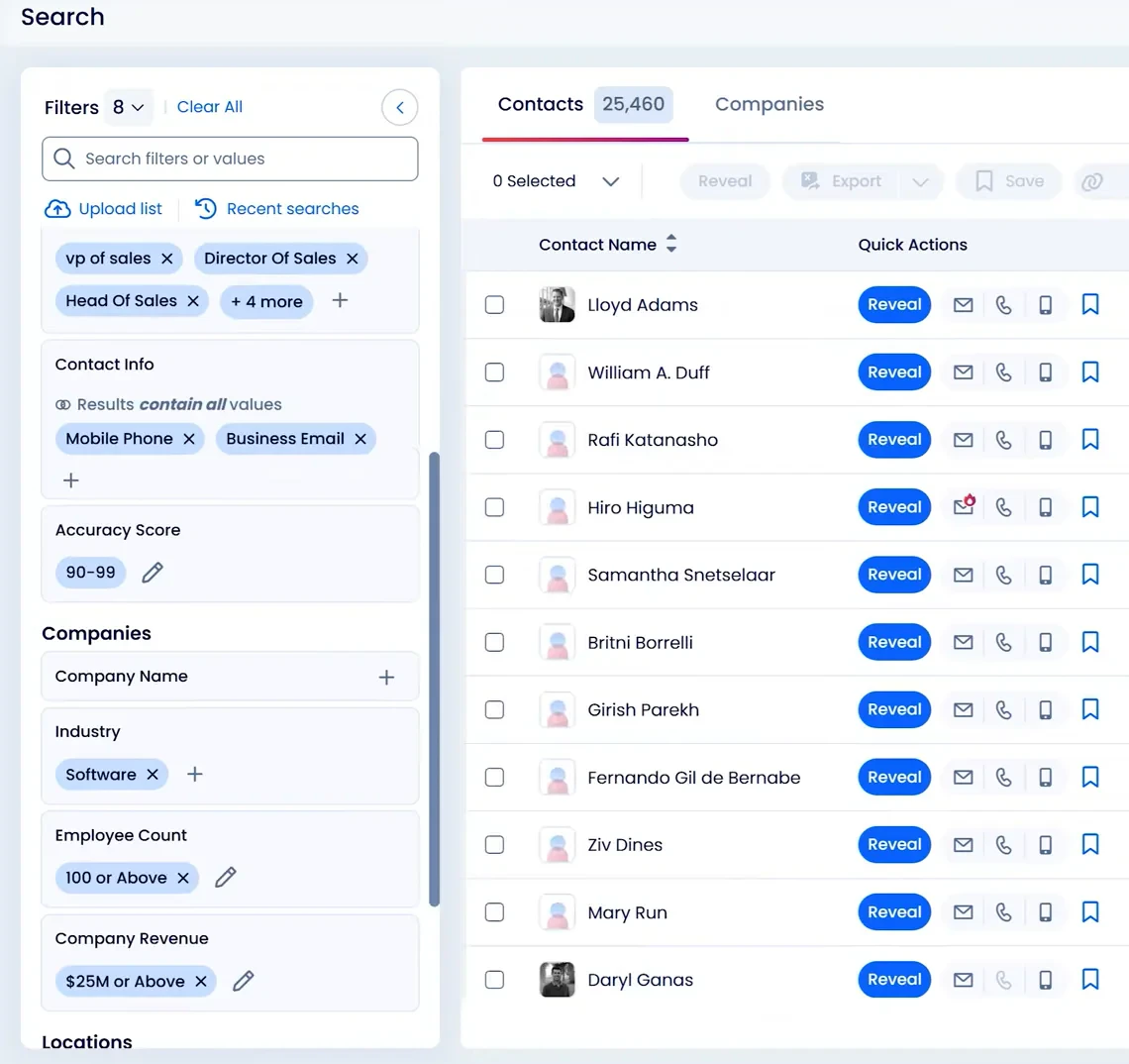
ZoomInfo advertises over 174 million verified email addresses and 70 million phone numbers, so there's a pretty extensive database to work with. You can also use its Chrome extension to look up contact and company information while browsing other websites.
Another useful feature is website visitor tracking, which helps identify companies visiting your website and find relevant contacts within those accounts. Keep in mind that some of these capabilities, including Streaming Intent, are available as separate add-ons.
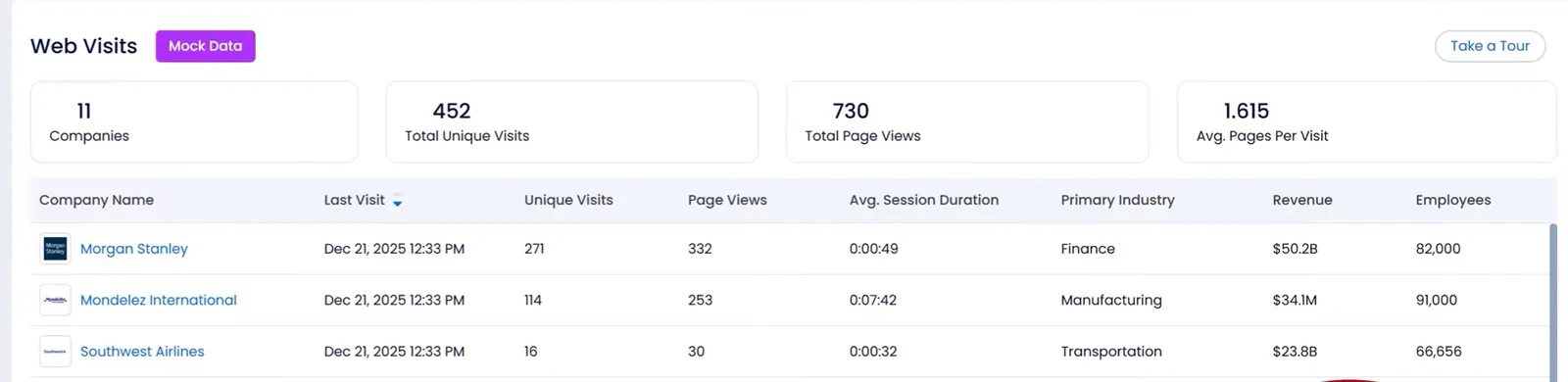
Once you've identified potential customers, ZoomInfo can enrich their records with additional contact and company information. This includes business emails, direct-dial numbers, firmographic data, and technographic details.
For outreach, ZoomInfo's Engage platform lets you build multistep sales flows combining automated emails, follow-ups, calls, and other sales tasks. You can also use its AI features to prioritize accounts and recommend follow-up actions based on prospect activity.
Pros
- Extensive B2B contact database with detailed search filters
- Combines company intelligence, buyer intent, and website visitor tracking
- Helps identify decision-makers and buying committees
- AI-powered account research and sales workflow automation
- Integrates prospecting data with sales engagement tools
Cons
- Custom pricing can make it expensive
- Contact data accuracy can vary depending on the market and company
- Some buying signal and engagement features require separate add-ons
Pricing
ZoomInfo doesn't publish its prices. You'll need to contact its sales team for a custom quote, which depends on the features, licenses, and credits you need.
5. Clay
Best for: Sales and RevOps teams looking to automate prospect research, data enrichment, and lead qualification.
Clay is a GTM platform that helps you find potential customers, pull information from multiple data sources, and automate different parts of your prospecting workflow.
Most of your work happens inside Clay's tables. You can start by importing a CSV, connecting your CRM, or finding companies and people using Clay's search tools. From there, you can add enrichment steps to pull in contact details, company information, and other data points.
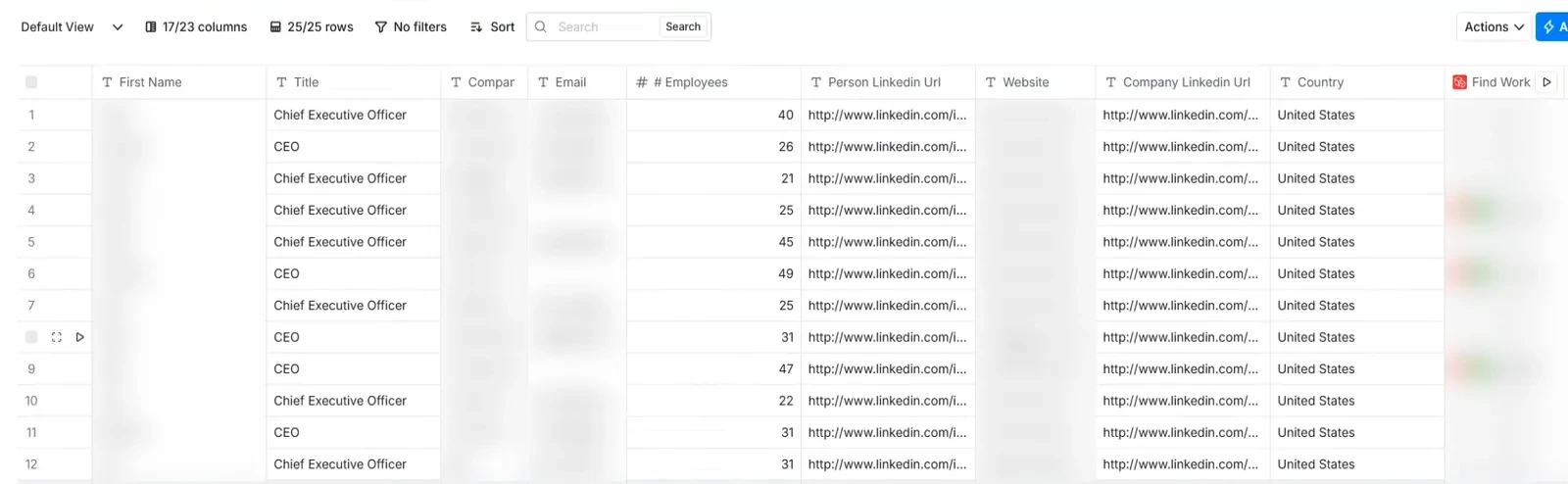
One of Clay's biggest strengths is its waterfall enrichment. Instead of relying on a single data provider, you can connect multiple providers and check them in sequence to find missing information. For example, if one provider can't find a prospect's work email, Clay can move on to another until it gets a result.
Clay gives you access to 150+ data providers, so you have plenty of options for enriching records with email addresses, phone numbers, and more.
You can also use Claygent, its AI research agent, to gather information that isn't easy to set up with a standard enrichment workflow. For example, you could ask it to check whether a company is hiring sales representatives, research a prospect's professional background, or identify recent developments that might make them a good fit for your product.
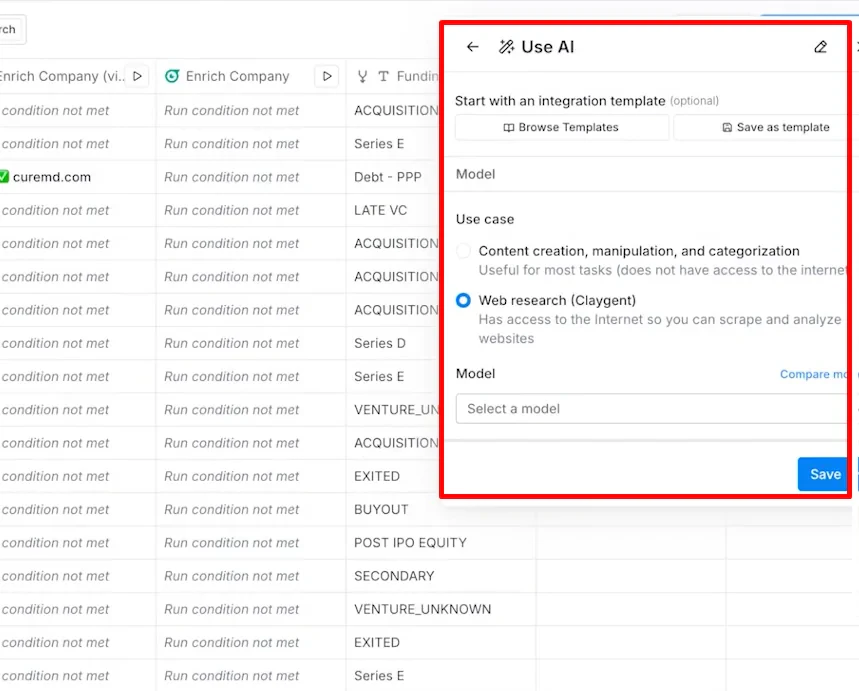
Clay also lets you build workflows around specific triggers and conditions. For example, you could identify companies hiring for particular roles, enrich their contact details, check whether they match your ICP, and send qualified leads to your CRM or sales engagement platform.
If you want to run outreach directly through Clay, its Sequencer supports automated cold email campaigns. But you'll need other tools for what Coolie does in one place: LinkedIn automation, multichannel sequences, and conversations from a centralized inbox.
Pros
- Waterfall enrichment across 150+ data providers
- Flexible AI research using custom Claygent prompts
- Customizable prospecting and lead qualification workflows
- Integrates with CRMs and external sales engagement tools
- Supports automated cold email campaigns through Sequencer
Cons
- Building and maintaining complex workflows takes lots of learning
- Credit and action consumption can make costs difficult to predict
- Requires configuration to connect different stages of prospecting and outreach
- Doesn't offer built-in LinkedIn automation or a unified multichannel inbox
Pricing
- Free: $0/month, with 500 actions and 100 data credits per month.
- Launch: From $185/month, with 15,000 actions per month.
- Growth: From $495/month, with 40,000 actions and 6,000 data credits per month.
- Enterprise: Custom pricing, with higher usage allowances.
Conclusion
Think about what you actually need help with, whether that's finding prospects, identifying buying signals, researching accounts, personalizing messages, or managing outreach campaigns.
Some platforms bring most of these features together, while others focus on specific parts of the sales process. Start with the workflow you want to improve, then choose a tool that fits it.
- If you want an all-in-one platform for signal-based prospecting and multi-channel outreach, start with Coolie. It tracks 40+ buying signals, helps you find and research relevant prospects, and lets you launch personalized campaigns across email, LinkedIn, and WhatsApp from one platform.
- If you need a large B2B contact database with prospecting and email outreach, try Apollo. It combines contact discovery, enrichment, AI-assisted research, and automated email sequences. It's a practical option if you primarily run email-based outbound and don't need extensive behavioral buying signals or automated LinkedIn outreach.
- If LinkedIn is your main prospecting channel, consider LinkedIn Sales Navigator. Its advanced search filters, account insights, and AI-powered lead research help you find decision-makers, understand target accounts, and identify potential connections. You'll need another tool to handle outreach on other channels, though.