Blog · 17 min read
7 Best Buying Signal Tools (Reviewed & Ranked)
Most companies don't announce when they're ready to buy. You have to pick up on the clues. A business starts hiring for a new department, adopts a technology that complements your product, or begins researching solutions in your category.
The challenge is spotting these changes across thousands of companies and users without manually monitoring job boards, competitor activity, tech stack updates, and social media activity. That's where buying signal tools come in. They track these activities, surface relevant accounts, and help sales teams decide who to approach and when.
I've compared seven tools based on the signals they cover, how useful their data is, and what you can do with the leads they uncover.
How I Evaluated These Tools
I evaluated each tool based on five criteria:
- Signal Coverage: The range of buying signals available, from competitor activity and buyer intent to hiring and website engagement.
- Signal Accuracy: How signals are collected, how frequently they're updated, and how reliably they indicate buying interest.
- Ease of Use: How easy it is to configure, monitor, and act on signals.
- Outreach Integration: How well it connects signal tracking to contact enrichment and sales outreach.
- Pricing and Value: Whether the available features justify the cost, including credit limits, add-ons, and plan restrictions.
Best Buying Signal Tools: Comparison Table
| Tool | Signal Refresh | Starting Price |
|---|---|---|
| Coolie | Hourly | $123/month |
| Clay | Configurable: daily to quarterly; Topic Intent is weekly | $185/month |
| Common Room | Daily for news and job listings; continuous for technographics; integrations vary | $2,500/month |
| UserGems | Daily for contact-level intent; weekly for account-level intent | $40,000/year |
| Apollo | Weekly | Free |
| LinkedIn Sales Navigator | Daily for Buyer Intent and account alerts; some data near real-time | $159.99/month. |
| G2 Buyer Intent | Daily | Custom pricing |
1. Coolie
Best for: Overall buying signal tracking and outbound.
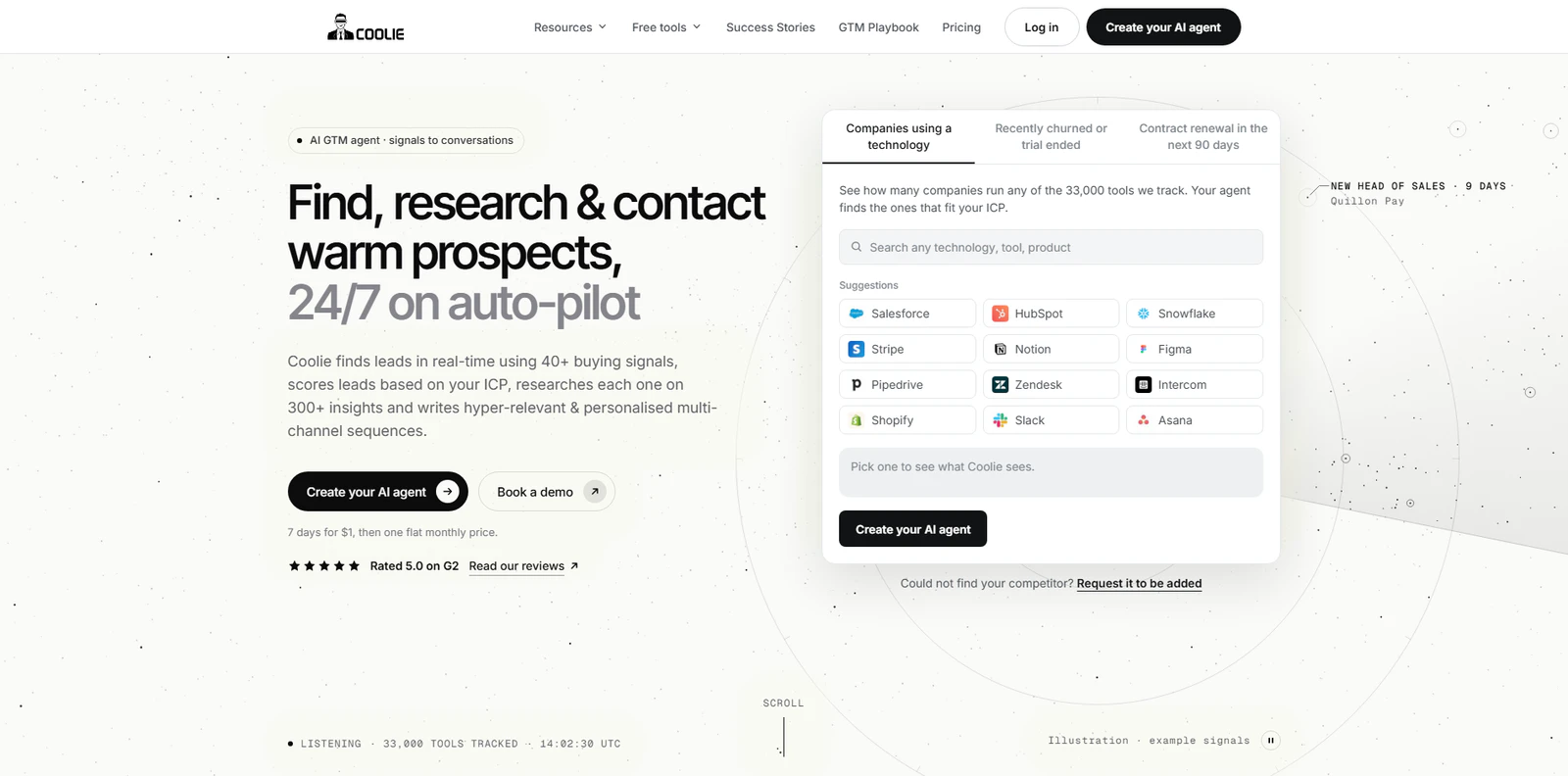
Coolie helps sales teams identify qualified leads and people looking to buy right now using more than 40 buying signals.
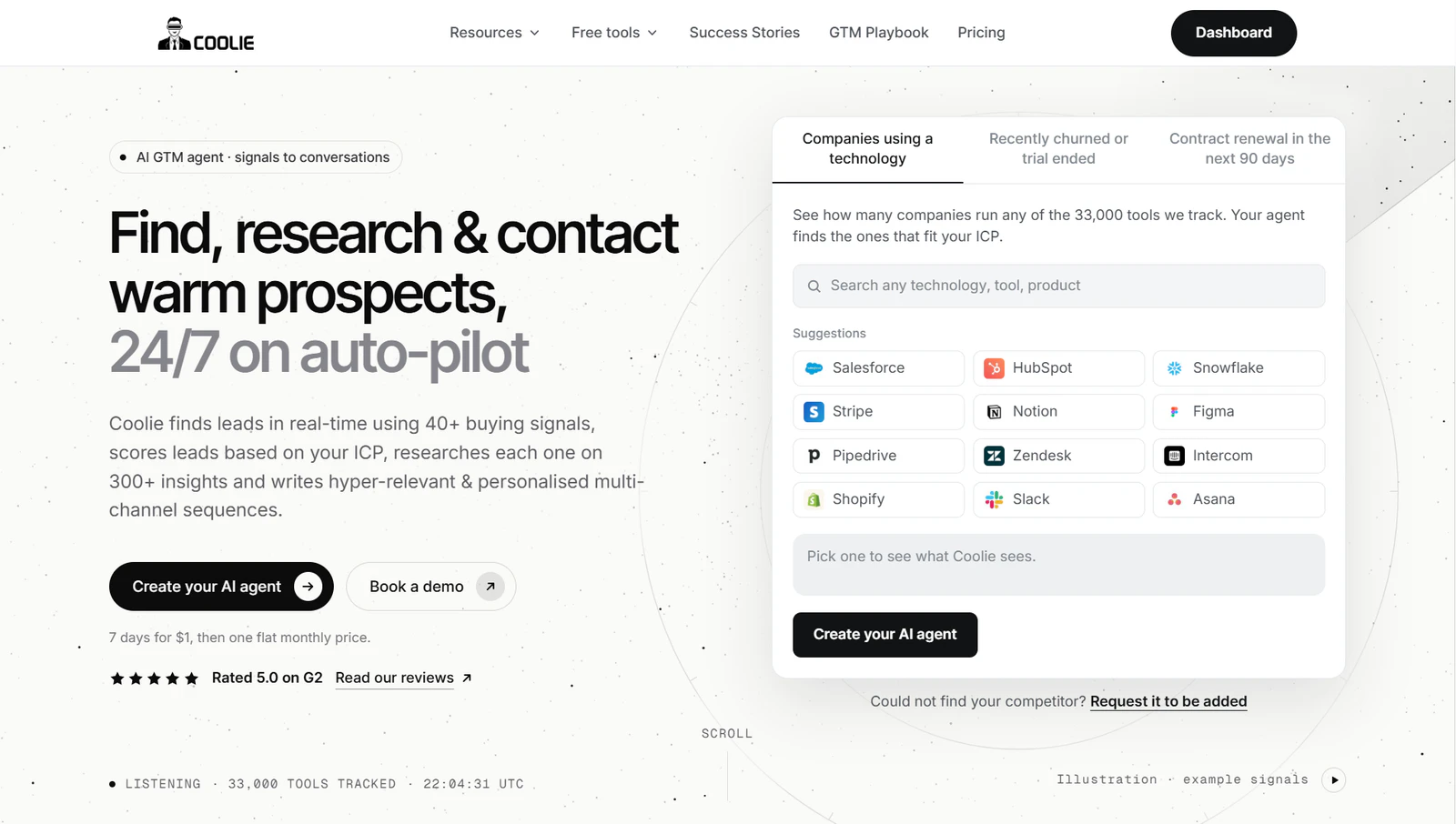
One of its strongest use cases (and the signal I use most often personally) is identifying companies that might be ready to switch vendors. For example, Coolie can track recent churn from competitors, completed trials, and upcoming contract renewals. But these are just some of the many signals you can track.
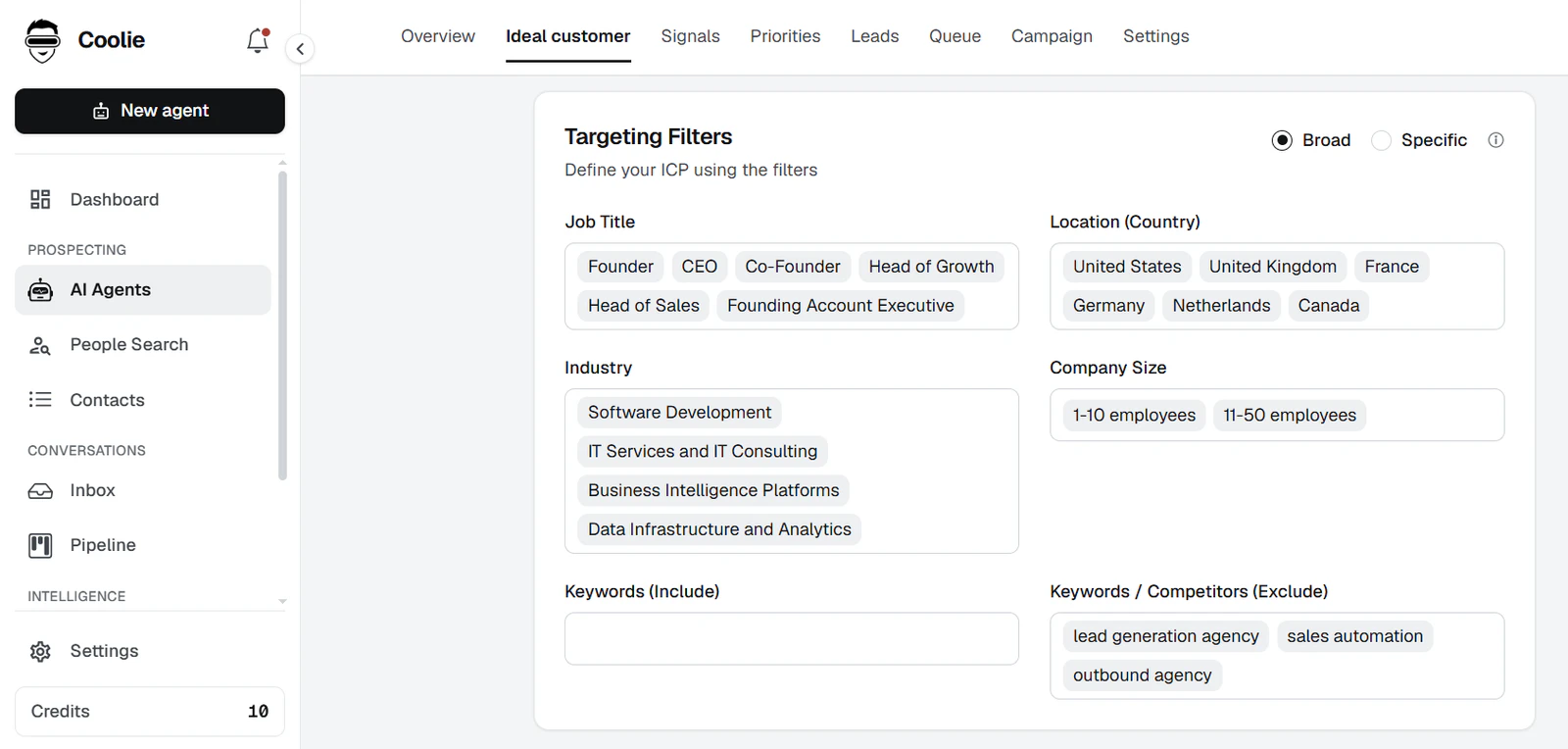
The setup is straightforward:
- Create an AI Agent
- Select buying signals as your data source
- Enter your website URL
Coolie uses this information to identify companies that match your ideal customer profile. You can refine the results using filters such as job titles, company size, and location, or create separate agents for different audience segments.
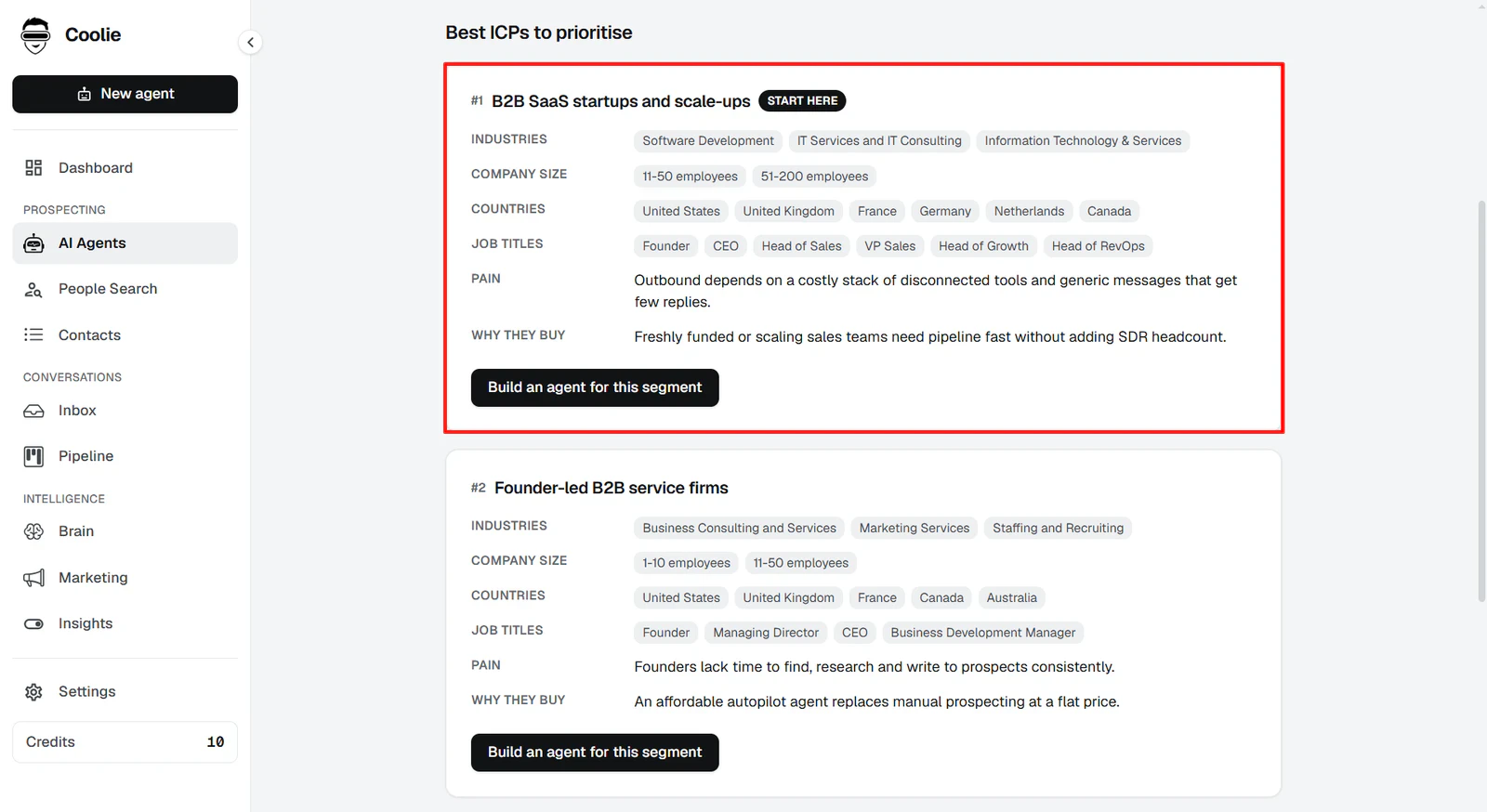
Once Coolie has identified relevant accounts, you can move from prospecting to outreach without switching platforms. It enriches contact details and uses AI to draft personalized messages, which you can send through automated multichannel campaigns across email, LinkedIn, and WhatsApp. Plus, you keep track of your outreach efforts using Pipeline CRM.
Signals You Can Track With Coolie
Coolie tracks dozens of buying signals, with new ones added regularly. Below are some of the primary intent data points you can monitor.
- Competitor Activity: Recently Churned or Trial Ended, Competitor Renewal
- Technology & Buying Intent: Tech Used, Buying Intent Topic
- Hiring & Headcount: Hiring, Hiring Velocity, Headcount Growth, Headcount Decrease
- Company Events: Funding, Merger & Acquisition
- Job Changes: Recent Job Change
- LinkedIn Engagement: LinkedIn Profile, Company LinkedIn, Competitor Profile, Influencer Profile, Engagement & Interest, Top 5% ICP
- Custom & AI Signals: Custom Signals, Lookalike
Pros
- Tracks a wide range of buying signals across competitor activity, technology usage, hiring, and LinkedIn engagement
- Lets you create custom signals based on specific ICP requirements
- Combines buying signal discovery with contact enrichment and prospect research
- Supports personalized outreach through email, WhatsApp, and LinkedIn
Cons
- Contact enrichment and other credit-based activities can increase usage costs
Pricing
Coolie only has one standard pricing plan: Starter for $123/month, which includes all of the tool's key features and comes with a 7-day trial for $1.
If you'd rather have someone manage your outbound operation, there's also
- Done-For-You plan at $994/month: Includes a dedicated account manager, help defining your ideal customer profile and identifying relevant buying signals, outbound strategy development, and campaign management across email and LinkedIn.
- Flat File option starting at $494 as a one-time payment: Instead of subscribing to the platform, you request a specific set of buying signal data, which Coolie collects in real time and delivers as a CSV file.
2. Clay
Best for: Custom buying signal workflows
Clay is a GTM engineering tool that combines data enrichment, prospecting, AI research, workflow automation, and signal monitoring. Its Signals feature helps you monitor changes across companies and contacts, from hiring activity and job changes to funding announcements, website visits, and topic intent.
You can use these signals to identify accounts showing potential buying interest or keep track of changes within an existing prospect list. Plus, like Coolie, Clay also offers custom signals to help you track signals that don't come out of the box.
Here’s how to get started with signals that come built-in:
- Add your target companies or contacts to a table
- Select a signal you want to track
- Choose your table and configure the required identifiers and filters
- Set the monitoring frequency
- Save the signal and connect it to any enrichment or automation workflows you need
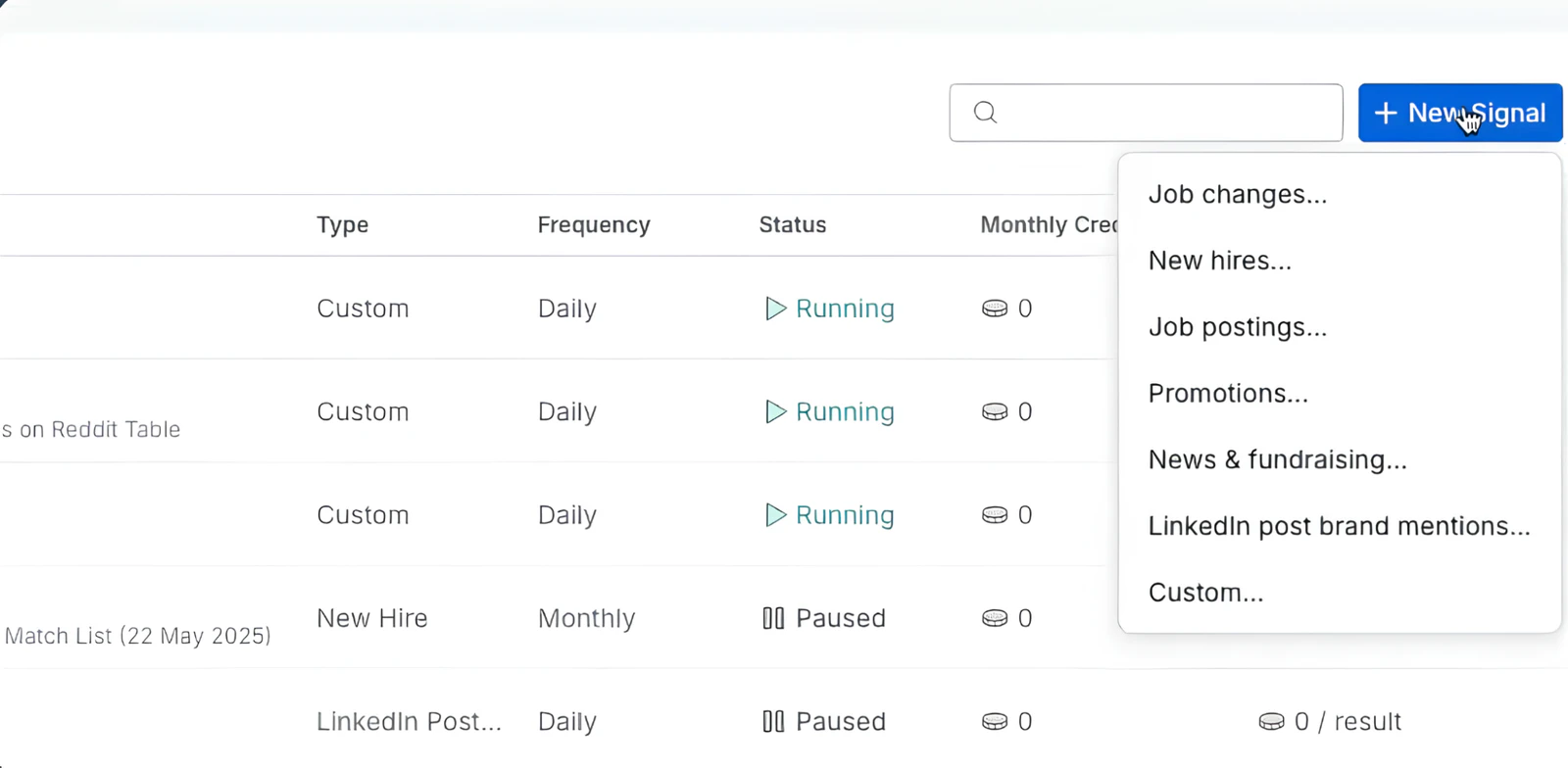
But the process is a bit different if you want to deviate from the nine pre-built signal types.
For example, I tried using Clay to monitor tech stack changes. Since this isn’t one of the built-in signals, I had to manually set up a workflow. This involved importing a list of target companies, enriching their records with current technology data, and scheduling recurring checks to retrieve updated information.
I then had to store each run's results in a separate table, use Clay's Lookup Multiple Rows feature to retrieve previous records, and have Clay AI compare the latest results to identify newly adopted or no-longer-detected technologies.
That's a lot of moving parts and a very steep learning curve.
The same applies to competitor churn, renewal tracking, and other similar signals that you don’t get out of the box. You’ll have to build up your own monitoring workflow for each of these. This isn’t the case with more dedicated platforms like Coolie.
You can read our in-depth Coolie vs. Clay comparison for a closer look at how the two platforms differ.
Signals You Can Track With Clay
Here are all the signals you get with Clay.
- Intent & Website Activity: Topic Intent, Web Intent
- Hiring & Company Growth: New Hires, Job Postings
- Career Movement: Job Changes, Promotions
- Company News: News, Fundraising
- Social & Brand Activity: Professional Post Brand Mentions
- Custom Signals: Website changes, technology adoption, social mentions, product usage, support activity, and other criteria you define.
Pros
- Signals covering intent, hiring, job changes, and company news
- Custom Signals let you monitor niche events and company-level changes
- Combines signal monitoring with data enrichment, AI research, and workflow automation
Cons
- Steep learning curve, particularly when building custom signal workflows
- Requires considerable setup to monitor signals beyond its predefined options
- Its extensive feature set may be overkill if you only need buying signal data and outbound prospecting
Pricing
Clay's Launch plan starts at $185/month. It includes 2,500 Data Credits and 15,000 Actions per month.
Signal monitoring consumes both Actions and Data Credits. Depending on the signal, Clay charges for each record checked or each result returned. The cost also varies with monitoring frequency, but Clay displays an estimated credit cost before you activate a signal.
3. Common Room
Best for: Community and product-led signals.
Common Room tracks activity across websites, product usage, social media, online communities, and CRM systems.
One of its strongest features is its ability to track developer and community activity. For example, you can monitor GitHub contributions, discussions in relevant Slack and Discord communities, Reddit posts, and interactions with industry content.
Common Room also tracks the more conventional buying signals: website visits, job changes, hiring activity, company news, and third-party intent data from providers such as Bombora and G2.
Here's how you can set up buying signal tracking on Common Room:
- Connect your CRM and the data sources you want to monitor
- Install Common Room's website tracking snippet and configure any additional identity tracking
- Set up your ICP, contact filters, and scoring criteria
- Create segments combining relevant company and contact signals
- Configure workflows to notify sales reps or route matching prospects into your existing sales engagement tools
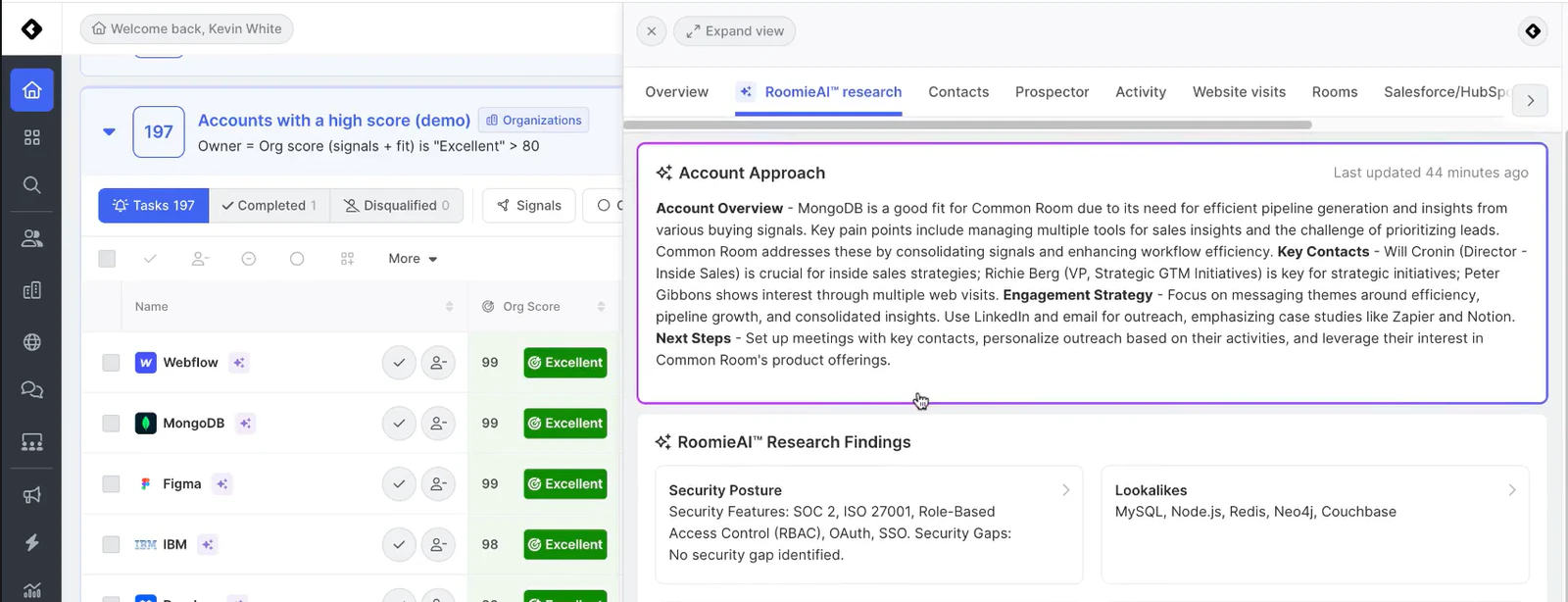
Its community, product usage, and engagement signals can be incredibly useful, but their value depends on how much of your target audience is actually represented across those sources and how well you've connected your existing data. If your prospects aren't active in the communities Common Room monitors, or you don't have product and CRM data feeding into it, some of those signals won't carry as much weight. Check out our Coolie vs. Common Room comparison for a more thorough breakdown.
Signals You Can Track With Common Room
Common Room has more than 100 signal guides covering different sales, product-led, open-source, community-led, and dark-funnel use cases. Its actual signals depend on the integrations and data sources you connect.
- Website Activity: Pricing page visits, documentation activity, website traffic spikes, form abandonment.
- Product Usage: Power-user activity, product adoption, usage spikes or declines, feature adoption, upgrade activity.
- Community & Open Source: GitHub contributions, Slack and Discord activity, forum questions, community joins, Stack Overflow activity.
- Social Engagement: LinkedIn engagement, competitor follows, relevant post interactions, Reddit discussions, brand mentions.
- People & Career Changes: Customer or champion job changes, promotions, new hires, professional milestones.
- Company News & Hiring: Job openings, hiring surges, funding, mergers and acquisitions, negative media coverage.
- Third-Party Intent: Bombora topic intent, G2 activity, TechTarget intent.
- CRM & Custom Signals: Closed-lost opportunities, upcoming renewals, sales engagement, marketing activity, custom product events.
Pros
- Tracks buying signals across a wide range of website, product, social, and community sources.
- Particularly useful for identifying developer and open-source engagement.
- Person360 connects activity across different sources to individual contact profiles.
- Custom scoring and workflows help turn signals into actionable prospect lists.
Cons
- Requires time and configuration to connect data sources and build useful signal workflows.
- Its extensive feature set can be overwhelming for teams with simpler prospecting needs.
- Product signals and some prospecting capabilities require additional credits or add-ons.
- Expensive compared with more focused buying signal tools.
Pricing
Common Room's Essential plan starts at $2,500/month and only has an annual billing option. It includes five seats, up to 100,000 contacts, 5,000 RoomieAI research credits, and 2,500 Prospector credits.
The number of Bombora topics you can monitor also depends on your plan: six on Essential, 12 on Advanced, and 25 on Enterprise. Product signals are listed as an additional add-on, so teams relying heavily on product usage data should factor that into their budget.
4. UserGems
Best for: Champion tracking and account-based prospecting.
UserGems tracks both signals like job changes, promotions, and previous engagements with your business, and more. The big drawback: it is an enterprise-level tool that costs more than what most teams can afford (more on this later).
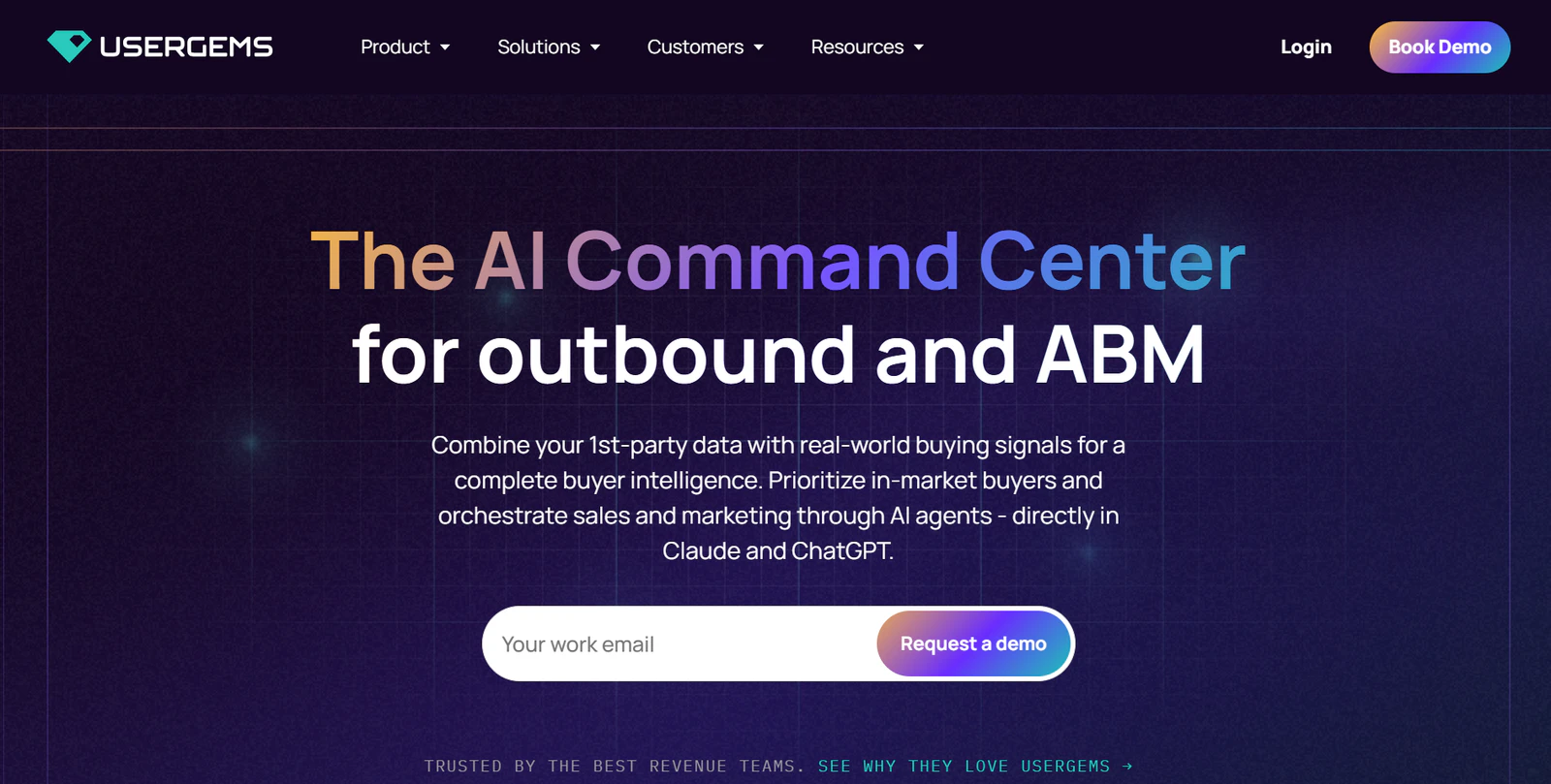
A standout feature is Past Champions. UserGems tracks former customers, product users, and people who previously evaluated your solution. When someone from this list joins a new company, the platform identifies the move and surfaces their updated contact information. This gives sales teams an opportunity to reconnect with someone who already knows their product.
Beyond this, UserGems offers 30+ native buying signals covering hiring, funding, website activity, technology adoption, competitor research, and other company events.
Getting started involves a few steps:
- Connect your CRM and import your target accounts and contacts
- Activate the buying signals you wish to track
- Configure your ICP, personas, and signal preferences
- Build audiences using combinations of company and contact signals
- Create campaigns to route matching prospects into your sales workflows
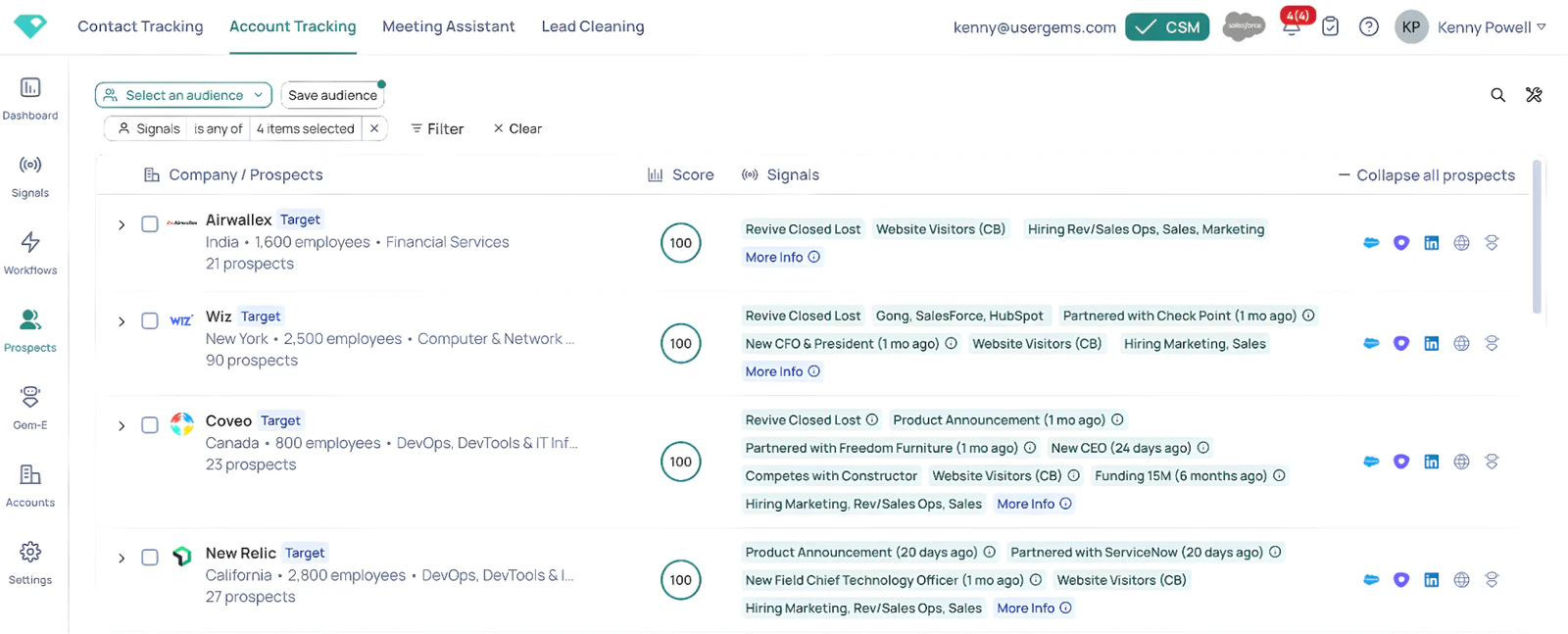
You can also bring your own first-party data into UserGems, including event attendance, marketing engagement, product usage, and inbound demo requests. These signals can feed into the same scoring and campaign workflows as its built-in data.
Signals You Can Track With UserGems
UserGems offers more than 30 native signals. Here are some of the primary categories.
- Buyer Intent: Contact-level intent, website visitors, competitor research, G2 and review-site activity.
- Sales & Marketing Engagement: Closed-lost opportunities, call transcript insights, content downloads, event attendees.
- Role Changes: Past champions, past evaluators, new hires, promotions, buying group changes.
- Company Events: Funding, M&A, IPO and 10-K filings, leadership changes, hiring, product launches, expansion.
- Technology & Product Usage: Tech stack adoption, trial activity, product usage, NPS.
- Custom Signals: CRM activity, marketing engagement, webhooks, external intent data, and other first-party data.
Pros
- Offers signals to track past customers or prospects
- Custom signals let you incorporate your own CRM, marketing, and product usage data
- Connects signal discovery with account scoring, personalized outreach, and ABM campaigns
Cons
- Primarily designed for established B2B sales and ABM teams rather than smaller businesses
- Requires CRM integration and configuration to get the most from its scoring and signal capabilities
- Annual contracts and enterprise-level pricing
Pricing
UserGems has three annual pricing plans:
- Core: $40,000/year, with 4 million credits and coverage for approximately 2,000–4,000 target accounts.
- Advanced: $75,000/year, with 10 million credits and coverage for approximately 4,000–10,000 accounts.
- Elite: $150,000/year, with 25 million credits and coverage for more than 10,000 accounts.
5. Apollo
Best for: Combining buying intent with B2B prospecting.
Apollo’s Buying Intent feature helps you identify companies researching topics related to your products, services, or competitors.
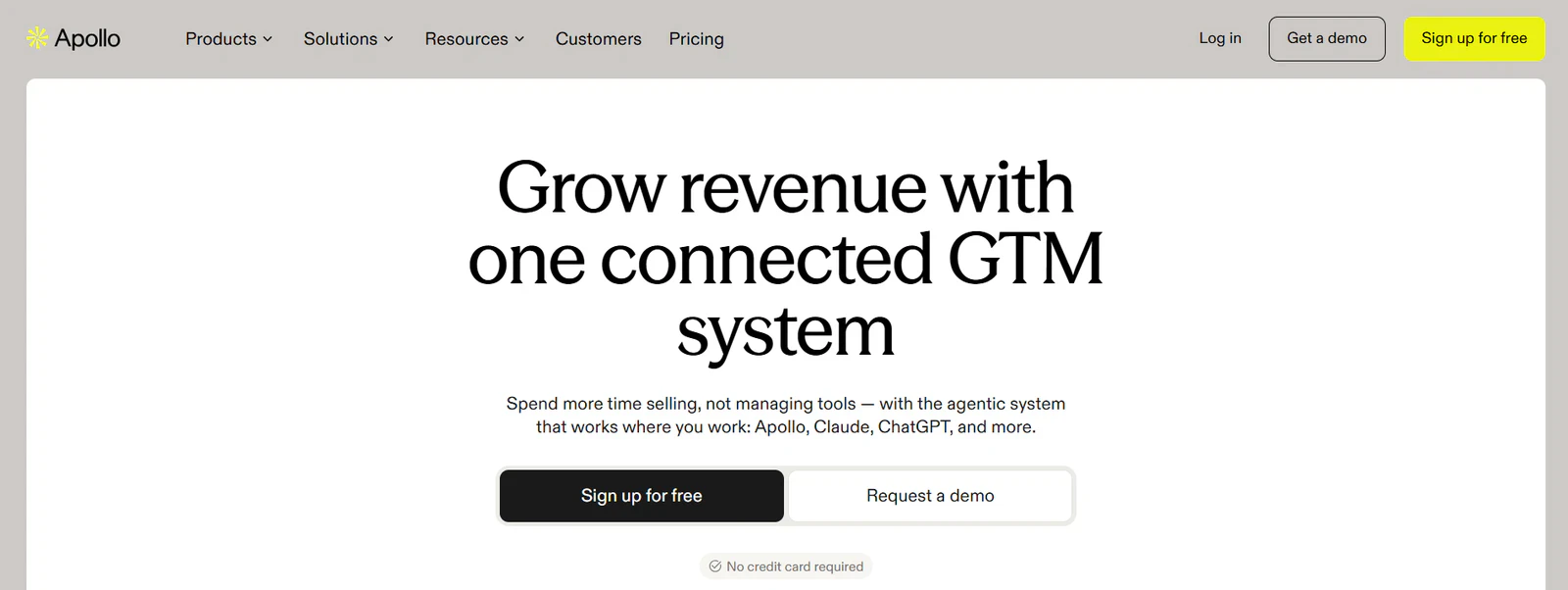
Apollo's intent data is powered by Bombora, which tracks research activity across more than 15,000 topics (though you can't take advantage of very many, since Apollo limits how many you can track at a time).
Apollo also offers website visitor identification. By installing its tracking script, you can see which companies visit your website, the pages they view, and how frequently they return.
Here's how to get started:
- Select the buying intent topics relevant to your product
- Open People or Companies search and apply the Buying Intent filter
- Choose your preferred topics and intent score range
- Refine the results using filters such as company size, industry, location, and job titles
- Save your search or set up alerts for newly matching companies
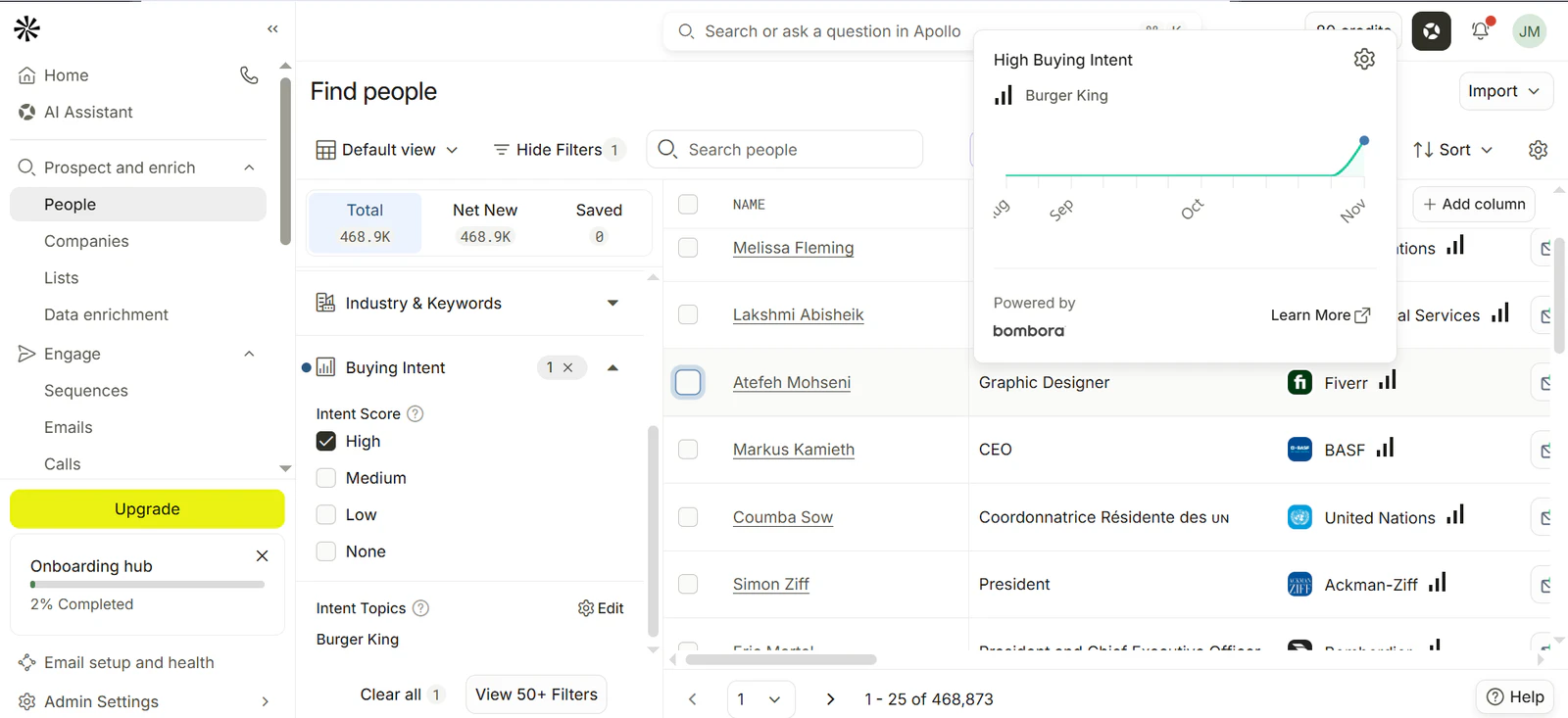
The limitation is that buying intent is measured at the company level, not the individual contact level. If you use the intent filter in a People search, Apollo finds contacts working at companies showing intent. It doesn't necessarily mean those specific people conducted the research.
Plus, Apollo only updates its signals weekly, which might be a hurdle if your use case is time-sensitive. To put this into perspective, other tools like Coolie track signals on an hourly basis.
Signals You Can Track With Apollo
Apollo combines third-party buying intent with first-party website activity and other company-level prospecting filters.
- Third-Party Buying Intent: Product and service categories, competitor research, industry topics, business needs.
- Website Activity: Website visits, pricing page visits, product page visits, visit frequency.
- Hiring & Growth: Job postings, headcount growth.
- Company Events: Funding, company news.
- Technology: Technology usage and tech stack.
- Contact Changes: Job changes.
Pros
- Combines buying intent with a large B2B contact database
- Offers more than 15,000 intent topics through Bombora
- Lets you identify website visitors and prioritize accounts based on their activity
- Includes contact enrichment and multichannel outreach sequences
Cons
- Buying intent is measured at the company level, not the individual contact level
- Intent data refreshes weekly rather than in real time
- Doesn't offer dedicated competitor churn or contract renewal signals
- Limited topic allowances on lower-tier plans
Pricing
Apollo offers buying intent on all plans, including Free. However, the number of topics you can track depends on your subscription:
- Free: $0/month, with 1 intent topic
- Basic: $49/user/month (billed annually), with 6 intent topics
- Professional: $79/user/month (billed annually), with 6 intent topics
- Organization: $119/user/month (billed annually, minimum 3 seats), with 12 intent topics
6. LinkedIn Sales Navigator
Best for: LinkedIn-based buying signals.
LinkedIn Sales Navigator is a B2B prospecting tool that helps sales teams find decision-makers, monitor account activity, and identify potential buying opportunities through LinkedIn's professional network.
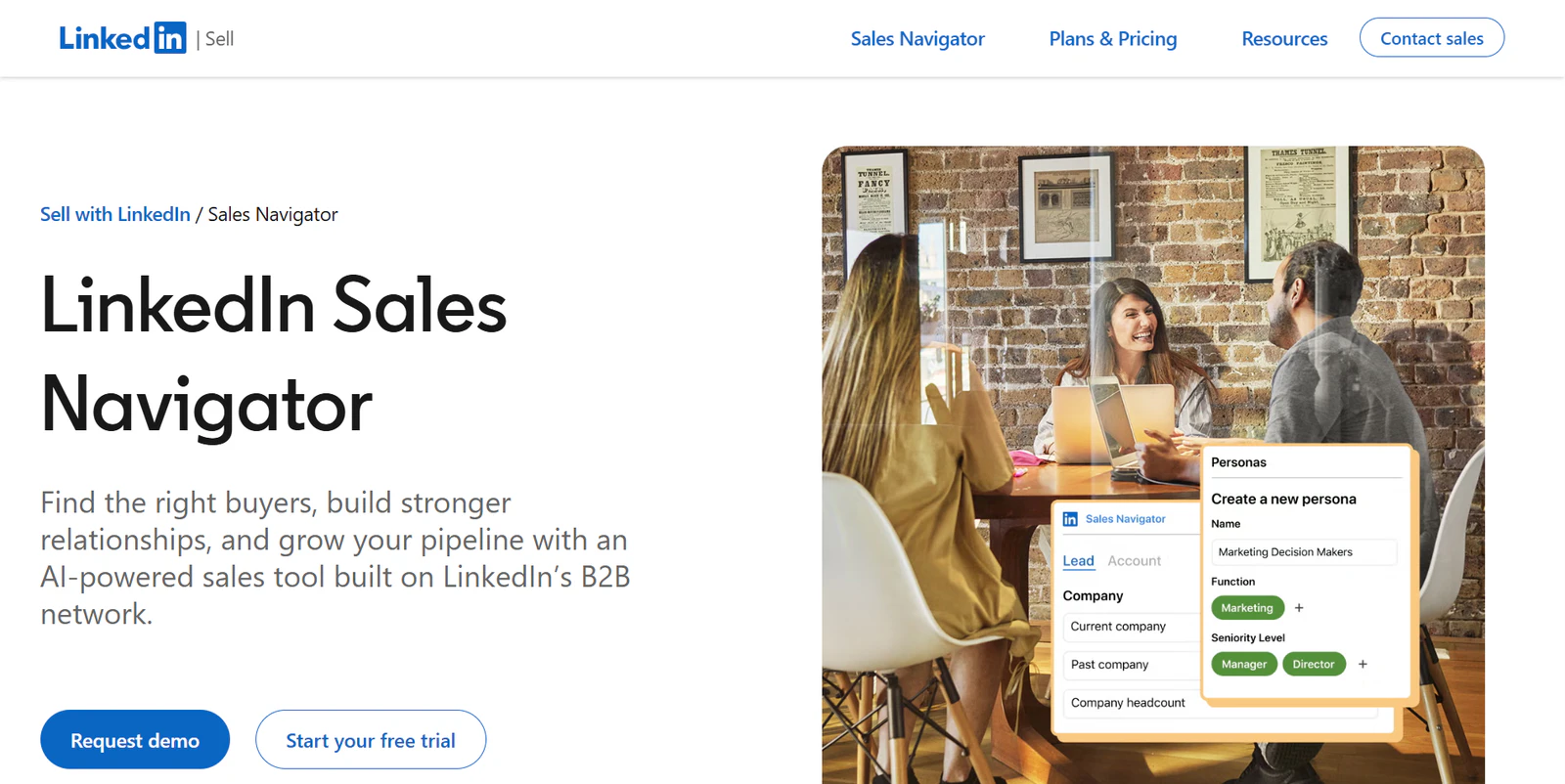
Its Buyer Intent feature helps identify people already interacting with your business. It tracks activities such as following your company page, visiting your website, viewing your profile, engaging with your LinkedIn ads, and accepting InMail requests from your sales team.
Sales Navigator also monitors professional changes, including job moves, promotions, new decision-makers joining target accounts, and changes in company headcount.
Here's how to get started:
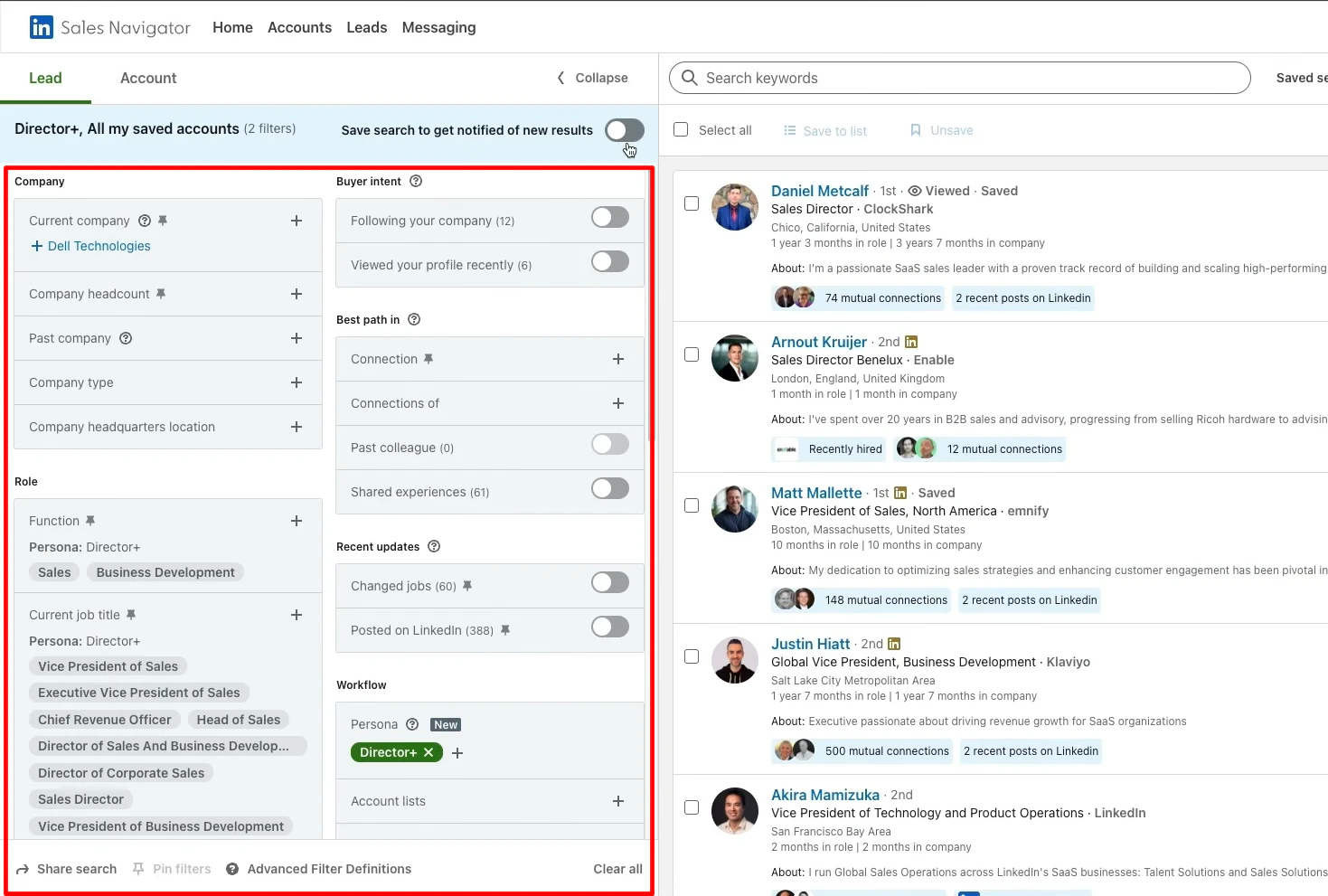
- Create a Persona based on your ideal buyer's job title, function, and seniority.
- Search for target companies using account filters and save them to an account list.
- Find relevant decision-makers using Advanced Lead Search.
- Save leads and accounts to receive alerts about relevant activity and changes.
- Use Buyer Intent filters (Advanced and Advanced Plus) to prioritize people and accounts showing interest in your business.
But keep in mind this data is strictly limited to LinkedIn. If you want to track buying signals on other channels, Sales Navigator won’t be much help.
Signals You Can Track With Sales Navigator
Sales Navigator focuses primarily on LinkedIn engagement, professional changes, and account-level activity. Here are some of the main signals you can monitor:
- LinkedIn Engagement: Company page follows, company page visits, profile visits, new connections, LinkedIn ad engagement, Lead Gen Form submissions.
- Website Activity: Visits to your company website (with the LinkedIn Insight Tag installed).
- Outreach Engagement: InMail acceptance, interactions with sales representatives.
- Job & Career Changes: Job changes, promotions, new decision-makers joining target accounts.
- Company Growth & Risk: Headcount growth, hiring activity, headcount reductions, restructuring.
- Account Activity: Company news, important account updates, saved-search matches.
Pros
- Helps identify people showing interest through LinkedIn activity
- Tracks job changes, company growth, and important account updates
- Relationship Explorer and TeamLink help uncover decision-makers and warm introductions
Cons
- Buyer Intent is limited to Advanced and Advanced Plus subscriptions
- Doesn't provide business email addresses or phone numbers for outbound
- Buying signals are largely restricted to LinkedIn activity and professional changes
- No built-in multichannel outbound sequencing for email or WhatsApp
Pricing
LinkedIn Sales Navigator offers three subscription plans:
- Core: $119.99/month. Includes advanced search, lead and account alerts, 50 InMail credits per month, and saved lists
- Advanced: $159.99/month. Adds Buyer Intent, Smart Links, TeamLink, shared lists, and team collaboration features
- Advanced Plus: Custom pricing. Includes everything in Advanced, plus CRM synchronization, embedded profiles, and additional enterprise features
7. G2 Buyer Intent
Best for: Identifying companies researching competitors.
G2 Buyer Intent takes a different approach to buying signals. Instead of monitoring broad research activity across the web, it tracks what people do when evaluating software on G2 and its associated marketplaces.
When someone views your product profile, checks your pricing, reads reviews, or compares you with a competitor, G2 records that activity and maps it back to their company. Since June 2026, this data has also included activity across Capterra, Software Advice, and GetApp.
To get started, define your ideal customer profile using filters such as company size, industry, and location. You can then filter accounts based on the type of activity you're interested in, including companies viewing your product, researching alternatives, or comparing you with specific competitors.
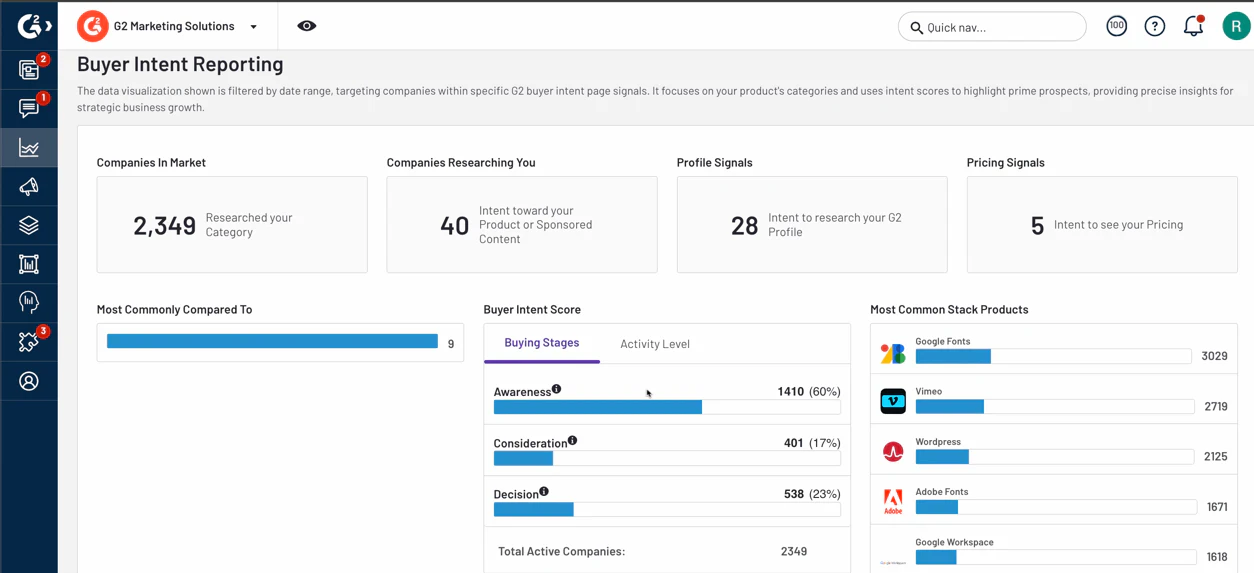
G2 also assigns each company a Buying Stage (Awareness, Consideration, or Decision) and an Activity Level (Low, Medium, or High). Both are updated daily.
One thing to keep in mind is that G2 identifies the company behind the activity, not the individual researcher. You'll need a separate contact database or enrichment tool to find the decision-makers at those accounts.
Signals You Can Track With G2 Buyer Intent
- Product Research: Product profile views, pricing page visits, sponsored content engagement.
- Category Research: Category page views and software category research.
- Competitor Research: Competitor profile visits, competitor pricing page views, alternatives page visits.
- Product Comparisons: Direct comparisons between your product and competitors, including the specific products being evaluated.
- Content Engagement: Licensed report views and customer reference page visits.
Pros
- Tracks specific competitor research and product comparisons.
- Identifies companies viewing your pricing and product pages.
- Covers buyer activity across G2, Capterra, Software Advice, and GetApp.
- Buying Stage and Activity Level help prioritize accounts.
- Integrates with CRMs, sales engagement platforms, and advertising tools.
Cons
- Identifies companies, not individual people, so you'll need a separate enrichment tool to find decision-makers.
- Only captures research activity across G2 and its associated marketplaces.
- Requires a paid G2 package and a separate Buyer Intent subscription.
- Doesn't include a built-in outbound sequencing platform.
Pricing
G2 doesn't publish pricing for Buyer Intent. It's sold as an add-on to a paid G2 vendor package, with the available signals depending on your subscription. You'll need to contact G2 for a quote.
Third-party reports I found put the Buyer Intent add-on at about $10,000–$40,000 annually, but these figures aren't official G2 pricing.
Conclusion
Here's what I’d recommend: don't choose a buying signal tool based on how many signals it claims to track. Focus on whether those signals help you identify the right accounts, reach the right people, and take action at the right time.
Try the platform first, if a trial is available, and see how well it fits your sales workflow before committing to a paid plan.
- If you want a wide range of buying signals and an all-in-one prospecting and outreach workflow, start with Coolie. It tracks 40+ signals, including competitor activity, technology usage, and LinkedIn engagement. You can also find prospects, enrich their contact details, and launch personalized campaigns from one platform.
- If you want to build custom buying signal workflows, try Clay. It combines enrichment, AI research, and automation, letting you monitor everything from hiring activity to technology adoption. Just be prepared to configure workflows for signals that aren't available out of the box.
- If you want to identify companies researching your competitors, consider G2 Buyer Intent. It tracks competitor profile views, pricing page visits, and product comparisons across G2 and other software review marketplaces. It is very pricey, though.