GTM Playbook · 10 min read
How To Turn Your Competitor’s User Into Your Customers
Introduction
My name is Shabbir, a 2x entrepreneur having sales experience with 11+ years. I still use cold outbound (email and LinkedIn) to book 75% of qualified meetings today. I’ve sent, received & analysed 628K+ cold emails over my journey.
I’m also the co-founder of Coolie which is an AI GTM agent that finds, researches and contacts high-intent leads 24/7 on auto-pilot helping B2B Founders, Sales, GTM and RevOps team with their outbound.

The goal : Setup your AI agent in 10 mins, and get new warm opportunities & conversations everyday.
→ You get 7 days on your demo account to explore the platform - Click here
Here is the free resource you asked for:
Of every signal we track, this one is the most underrated. A competitor's customer has already done the hardest work in sales for you: they admitted the problem exists, got budget approved, and learned the category. You don't have to educate them. You just have to show up at the right moment with the right reason to look again.
The catch: most sellers blow it in the first line. They name the competitor.
This playbook shows you how to find these people, what's actually going on in their head, and the exact sequence we send to each of them.
📊 Our Methodology For Finding These Signals
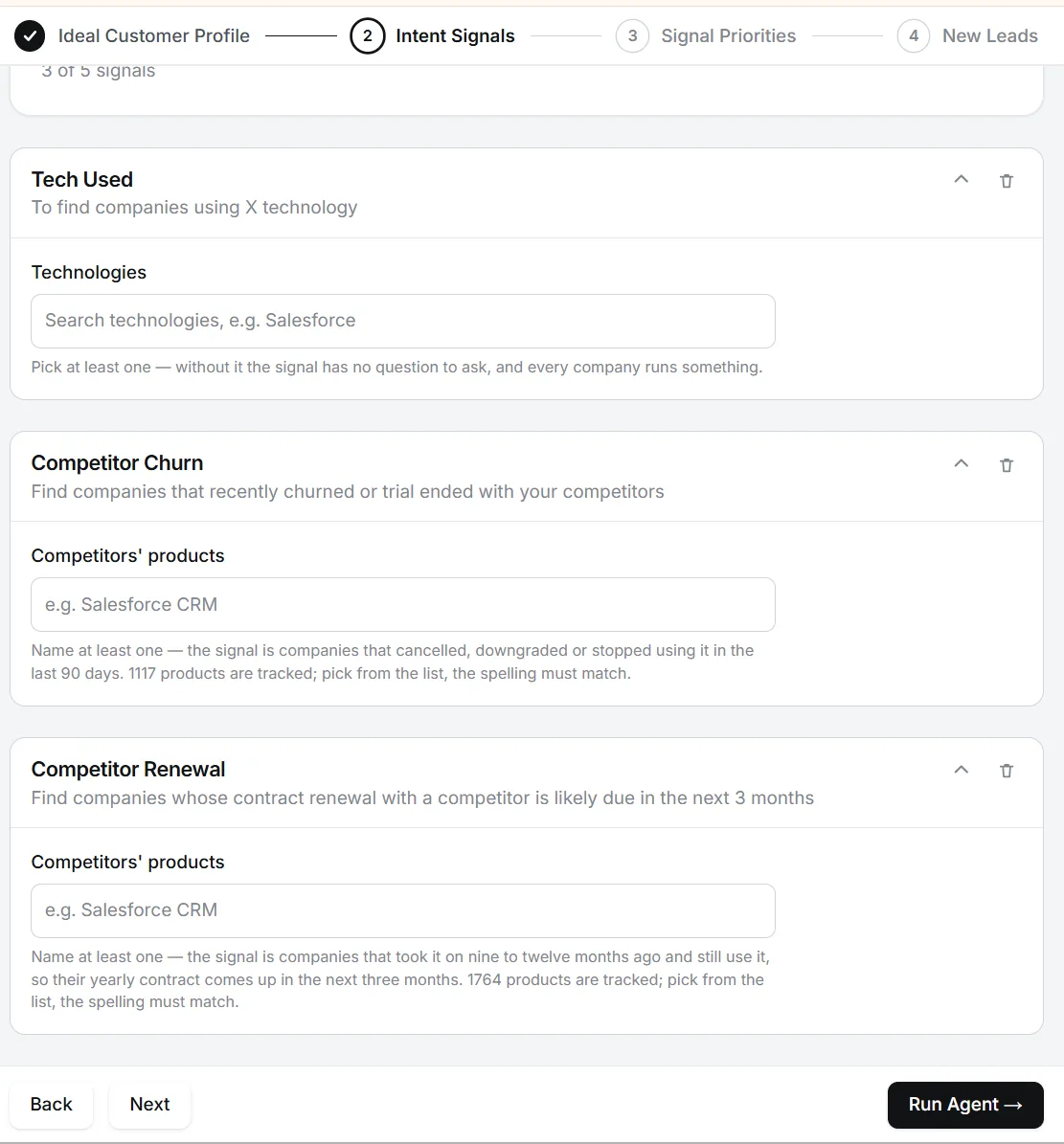
Our data comes from many real-time sources. Aside from crawling millions of websites, we analyze sources that reveal technology decisions like company DNS records, new internal subdomains (ie gitlab.domain.com), certificate transparency logs, changes to subprocessor lists, javascript snippets added/removed from websites, integrations in configuration files, and more.
We do not look at sources that typically lag or aren't 100% accurate.
The One Rule of This Signal
Never name the competitor. Never tell them you know they use it.
The instinct is to write "Saw you're using [Competitor] — here's why we're better." Resist it. Naming them reads as defensive, a little desperate even. It also turns your email into a comparison they didn't ask for, and they'll defend the choice they already made.
And telling them you know they churned, or that their contract is up, is worse. That's not insight, that's surveillance. The signal decides who you message and when. It never appears in the message.
What we do instead: build every message around the one specific advantage we hold over that competitor, framed as the tension their users live with.
Example. Say they've been using a tool that makes users connect their LinkedIn account. We open with the fact that Coolie never asks for that. The competitor never appears in the email. The prospect fills in the comparison themselves, and that's far more persuasive than us making it.
PART 1 — Find: The THREE Types of Competitor Customer
"Competitor customer" isn't one signal. It's three, and each one is at a different point in the buying cycle. Treat them the same and you'll send the right message to the wrong person.
| Segment | Where they are | Intent level |
|---|---|---|
| Active user | Using it, mostly satisfied, tolerating some friction | Medium |
| Recently churned or Trial ended | Just left; the gap is open right now OR Had the need, tested a solution, didn't buy | Highest |
| Renewal in next 90 days | About to re-justify the spend to their boss | High |
How To Spot Each One
Treat these signals as a reason to reach out, never as a fact to mention.
Active users
- Tech-stack data showing the tool on their site or in their stack
- Job posts listing the competitor as a required or "nice to have" tool
- Public reviews (G2, Capterra) written by someone at the company
- Appearing in the competitor's case studies, logos or testimonials
- Posting about workflows built on the tool
Recently churned OR Trial Ended
- The tool disappears from tech-stack data it used to appear in
- New job posts stop mentioning it, or name a different tool
- A low-star review, or a public post venting about the category
- A post asking "what are people using instead of X?" or "alternatives to X"
- Posted or commented that they're "trying out" or "testing" the tool
- Engaged heavily with the competitor's onboarding content, webinars or launch posts, then went silent 2–4 weeks later
- Followed the competitor's page, with no sign of the tool in their stack afterwards
Renewal in the next 90 days
- Find when they first showed up as a customer: first review, first job post naming the tool, case-study date, or first tech-stack sighting
- Most B2B SaaS contracts are annual, so renewal ≈ start date + 12 months (or + 24 months)
Why timing matters so much here: a churned customer is solving the problem right now using alternatives. A renewing customer is building the business case right now. Two months later, both conversations are over.
PART 2 — Research: Find Your Advantage, Then Find Their Tension
Step 1: Build Your Competitor Advantage Map
Before you write a single message, you need one row per competitor. This is the most important asset in this playbook, and you only build it once.
| Column | What goes in it |
|---|---|
| Competitor | Internal only. Never appears in copy. |
| What their users tolerate | The friction people complain about in reviews, Reddit, community posts, sales calls |
| Your one advantage | The single thing you do that removes that friction. One. Not a feature list. |
| Proof | A number, a customer, or a demo moment that makes it believable |
| Tension line | The advantage rewritten as a question about their world, not your product |
How we fill it in at Coolie for example (by competitor type, not name):
| Competitor type | What users tolerate | Our one advantage | Tension line |
|---|---|---|---|
| LinkedIn automation tools | Must connect their personal LinkedIn account; restriction and ban risk | Coolie never asks for your LinkedIn login | "How much of your pipeline depends on one LinkedIn login staying unrestricted?" |
| Data enrichment / table-builder tools | Weeks of setup, credit burn, you still write the messages yourself | Coolie delivers the research and the written sequence, not raw data | "How many hours a week go into building the table before anyone sends a message?" |
| Template-based sequencing tools | {firstName} personalisation; reply rates stuck near 1% | 3rd-level research: the tension a signal creates, not the signal itself | "Are your replies coming from the personalised line or despite it?" |
The rule for picking your advantage: it has to be something the prospect already feels with the competitor. If they've never noticed the problem, your advantage is invisible. That's why reviews and churn reasons are your best research source.
One warning. Every advantage has a flip side. "We never touch your LinkedIn" is also "we don't send LinkedIn messages for you." That lands brilliantly with someone worried about their account. It backfires with someone who left the competitor because it didn't send enough. Match the advantage to the segment's tension, not just to the competitor.
Step 2: Map the Tension Per Segment
Same competitor, same advantage, four very different conversations. Here's the 3-level breakdown using the LinkedIn automation example.
Active User
- Level 1 — Event: They use a tool that runs on their LinkedIn account.
- Level 2 — Intent: They've made LinkedIn a core pipeline channel.
- Level 3 — Tension: Their pipeline now has a single point of failure: one personal login. They've probably had a "we've noticed unusual activity" warning, or know someone who has. They throttle volume to stay safe, which caps results. And the founder's own profile, their personal brand, is the account doing the risky work. They're not unhappy. They're quietly exposed.
Recently Churned OR Trial Ended
- Level 1 — Event: They stopped using the tool OR They tried the tool and didn't buy.
- Level 2 — Intent: It wasn't worth it, or it broke something OR The need was real enough to test. Something stopped the purchase.
- Level 3 — Tension: The pipeline gap doesn't show up the week they cancel. It shows up 3–6 weeks later. Someone is now doing prospecting manually, or no one is. They're sceptical of the whole category because they just got burned. And they won't sit through another long setup. They need pipeline back fast, from something that doesn't feel like a repeat.
Most trials die in setup, not in results. Connect accounts, build lists, write prompts, and the trial clock runs out before a single qualified lead appears. Some didn't want to hand over their LinkedIn at all. They still have the problem, and now they're wary of any tool that asks for work before it shows value.
Renewal in Next 90 Days
- Level 1 — Event: Their contract is coming up.
- Level 2 — Intent: Someone has to decide: renew, renegotiate, or replace.
- Level 3 — Tension: They have to justify the spend to a CEO or CFO who will ask "what did we actually get?" Most tools report activity (messages sent), not outcomes (meetings booked). Switching feels risky mid-quarter. And if they renew without comparing, they're locked in for another year. They need a low-risk way to compare before the decision is made for them.
PART 3 — Sequence: The Exact Messages
Our CTA is a sample, not a demo: we offer to send 5 real prospects for their ICP. Sample-led CTAs consistently beat demo and trial CTAs for us, because they give value before asking for anything.
All messages below are written for a founder. For a VP / Head of Sales 0–90 days into the role, swap the stake from "your time and bandwidth" to "pipeline before your first board meeting." A swap line is included for each segment.
Segment A — Active Users
Goal: Plant a seed. They won't switch this week. You want to be the name they remember the day something goes wrong.
Subject: one login
VP swap line: "...depends on one rep's LinkedIn login staying unrestricted, a quarter before your pipeline number is due?"
Segment B — Recently Churned OR Trial Ended
Goal: Fill the gap fast. They're highest-intent and most sceptical. Lead with speed and zero setup, not features.
Subject: week 4
VP swap line: "...shows up in pipeline about a month later, usually right before the number is reviewed."
Segment C — Renewal in the Next 90 Days
Goal: Give them what they need for the decision: a real comparison and a better metric. Never mention the renewal itself.
Subject: meetings or messages
Hi {first},
When you look at your outbound stack ahead of next quarter's budget, which number do you judge it on: meetings booked, or messages sent?
Asking because most tools report the second, and it makes every renewal conversation harder than it should be.
If useful, we can run 5 of {company}'s ICP prospects through Coolie so you have a real side-by-side.
VP swap line: "...ahead of your first budget review in the seat, which number will you be judged on?"
How To Prioritise the THREE Segments
If you only have time for one segment this week, work them in this order:
- Recently churned OR Trial Ended — the gap is open now and closes fast OR need is proven, objection is usually fixable
- Renewal in next 90 days — the decision is being made with or without you
- Active users — lowest urgency; keep them warm and wait for a trigger
And re-sort every active user monthly. Today's happy customer is next quarter's renewal and, eventually, someone else's churned lead.
What To Track
Don't copy anyone's benchmarks for this signal, including ours. Your competitor, your advantage and your ICP change the numbers. Track these per segment and per competitor:
- Reply rate per segment — tells you which segment's tension you've nailed
- Positive reply rate per advantage — tells you whether your advantage is one they actually feel
- Sample → call conversion — tells you whether your 5 prospects are good enough to sell themselves
- Replies that mention the competitor unprompted — the best proof your framing is working. They made the comparison. You didn't have to.
If an advantage isn't getting replies after ~50 sends, it's not the copy. It's the advantage. Go back to reviews and pick the friction users actually complain about.
Your Checklist
- To do: List your top 3–5 competitors
- To do: Fill in the Competitor Advantage Map, one row each
- To do: Set up detection for the four segments (tech stack, job posts, reviews, competitor content engagement)
- To do: Write the Level 3 tension for each segment
- To do: Adapt the four sequences above to your advantage
- To do: Remove every mention of the competitor's name. Check twice.
- To do: Start with recently churned
Doing This at Scale
Finding competitor customers manually means stitching together tech-stack tools, job boards, review sites and competitor pages, every week. Then doing the tension research per prospect, then writing four different sequences.
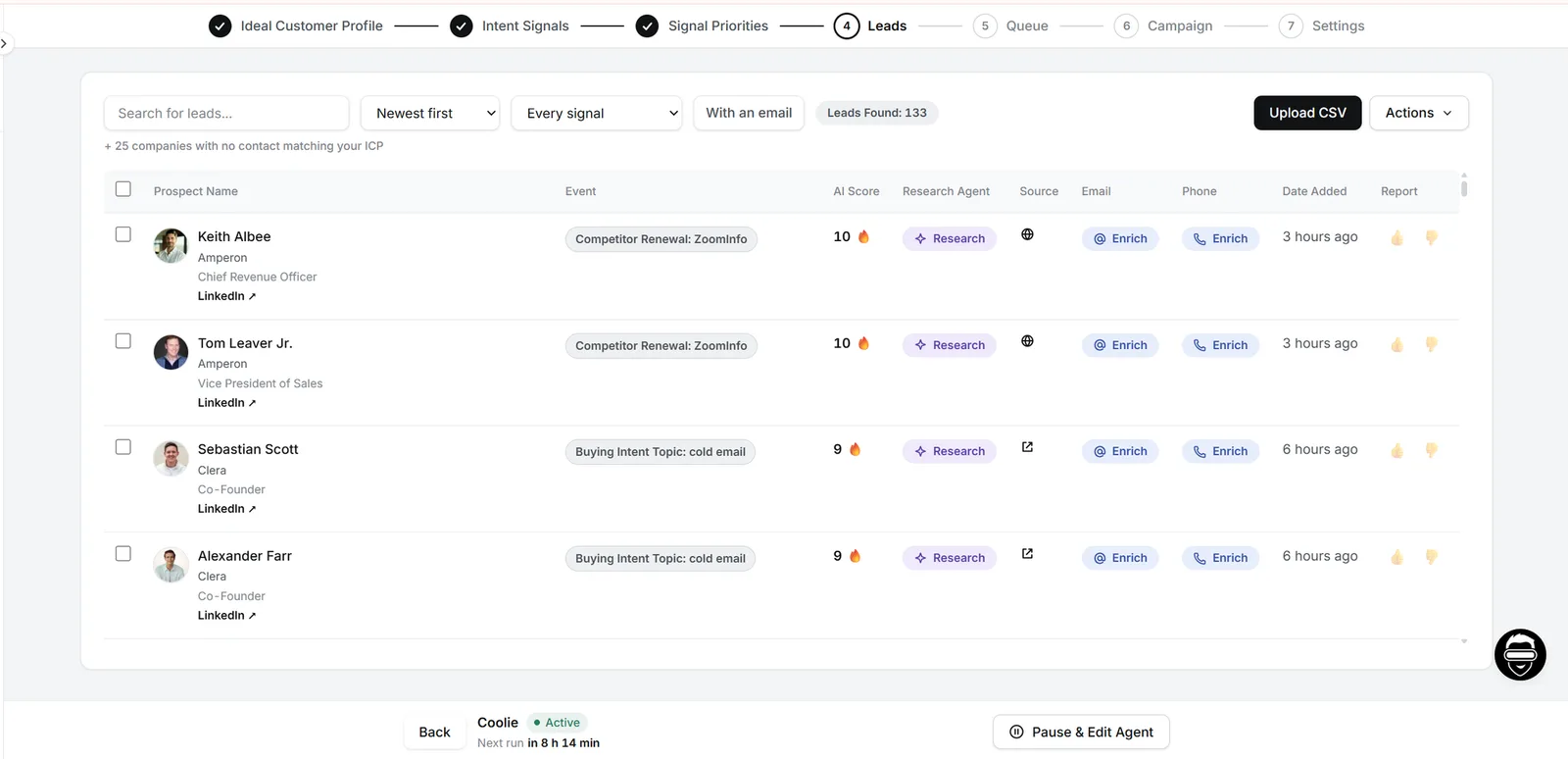
Coolie's Prospect Agent surfaces signal-matched prospects every morning, the Research Agent ranks the insight that matters for each persona, and the Sequence Agent writes the full sequence around it. You edit and send.
→ Create a Coolie account: trycoolie.ai (7-day trial)
Happy prospecting. 🚀
— Shabbir, Co-founder, Coolie
Real Results From Teams Running This System ⬇️
1. How Recruiterflow's Sales Team Tripled Reply Rates in One Week
→ Click here to read the full case-study
2. How Datatracks 6x Email Reply Rates and Gave ~208 Hours
→ Click here to read the full case-study