GTM Playbook · 16 min read
From SDR teams to AI pipelines: The new AI agent outbound stack
4 copy-paste AI agents that turn a single buying signal into booked meetings — the exact prompt library behind our ~45% LinkedIn reply rate.
A Short Note Before You Read
I'm Shabbir, co-founder of Coolie and a 2x founder with 11 years in sales. I've sent, received and analysed over 628,000 cold emails — enough to know that the prompts most teams paste into ChatGPT produce confident, well-written messages that nobody replies to.
This is the prompt library my team actually runs. Four agents that chain into each other and take you from a raw buying signal to a booked meeting.

Here's the thing every prompt library on the internet gets wrong: it optimises for personalisation (their name, their funding round, their job title) when the thing that actually earns a reply is tension — the specific friction their situation is creating for their role, this week. Every agent below is built around that one move.
→ If you'd rather skip ahead and try the tool that automates it: trycoolie.ai (7-day free trial)
What's Inside
Four agents that chain together. Agent 1's output feeds Agents 2, 3 and 4.
→ Agent 1: Prospect Research Agent — pulls 300+ contextual data points per prospect and stack-ranks the findings worth acting on, each scored against your business value prop.
→ Agent 2: Persona Agent — works at the prospect level, anchored on their job title, and answers the five questions that turn "what we do" into "what we do for them."
→ Agent 3: Deep Insight Analysis Agent — takes the findings and the value map, identifies the hidden problem, surfaces what's keeping this prospect up at night, and lands on the one insight worth leading with.
→ Agent 4: Sequence Agent — turns that insight into a multi-step, multi-channel sequence across email, LinkedIn, WhatsApp and the phone, every touch anchored to the same insight.
The numbers we hit running this system:
- ~45% reply rate on LinkedIn (57% connection acceptance)
- ~14% reply rate on email
- ~25 prospects worked per booked meeting (vs. ~200 on traditional cold outbound)
- 3–5 demos booked per day
How To Use This Library
Each agent has a SYSTEM prompt, a USER prompt, and guardrails. Drop them into Claude, GPT, or any tool-use-capable model. The agents chain: run them in order and paste each output into the next.
The whole stack lives or dies on one input: the quality of the prospect you point it at. Feed it someone who showed a real signal and these prompts hit double-digit reply rates. Feed it a static list scraped from a database and you'll write beautiful messages to people who aren't in-market. More on that at the end.
Setup checklist
- Pick your model (Claude Opus, GPT-5, or any frontier model with tool use).
- Fill in the
{curly_brace}variables below — they cascade through all 4 agents. - Run Agent 1 on 5 test prospects who showed a real signal recently. Check the findings it ranks actually matter.
- Run Agents 2 and 3 on those 5. Read the five answers and the up-at-night tension out loud — if it doesn't sound like their internal conversation, the inputs were too thin.
- Switch on Agent 4 once the analysis is landing, and watch reply rates — not open rates.
Variables to define once
Spend 15 minutes here before running anything. These cascade through every agent.
{your_company}— company name + one-line description{icp_description}— who you sell to (role, company size, industry, stage){value_prop}— the specific outcome you deliver, in 1–2 sentences{proof_points}— 2–3 case studies, metrics or social-proof anchors{tone}— voice descriptor (e.g. "direct, no-fluff, peer-to-peer"){your_category}— your product category (e.g. "AI GTM", "sales automation")
AGENT 1 — Prospect Research Agent
Pulls 300+ data points and stack-ranks the findings that matter.
What it does
For a single prospect, it pulls everything publicly knowable — events, hires, launches, integrations, funding, press, posts, reviews, strategic moves — and then does the part that actually matters: it stack-ranks the findings by how much they signal real, current pressure, and scores each one against your value prop. You walk away knowing the two or three things about this prospect worth building a message around.
When to run
First. Always first. Its output is the dossier every other agent reads from. Only run it on prospects with a real-time signal — competitor engagement, a key hire, fresh funding, a new market push.
SYSTEM PROMPT
`You are a senior B2B research analyst. Your job is to gather wide and rank hard.
Two passes:
- GATHER — pull as many distinct contextual data points as possible across every
category (company, role, market, product, team, funding, hiring, layoffs, exec
changes, launches, integrations, tech stack, press, public posts, reviews, expansion).
- RANK — keep only the findings that signal real, current pressure, and stack-rank them.
Rules:
- Cite every claim with a source URL or write "inference". Never fabricate.
- Prioritise the last 90 days; flag anything inside 72 hours.
- A finding only ranks high if a salesperson could act on it this week.
- Score each kept finding 0–100 against {your_company}: {value_prop}, with reasoning.
- Output strictly in the JSON schema below.`
USER PROMPT
`Research this prospect: {prospect_name}, {title}, {company}.
Their recent signal: {paste_the_trigger_event}
- Pull 300+ contextual data points across every category you can find.
- From those, keep only the findings that signal real, current pressure.
- Stack-rank the kept findings, highest score first.
For each kept finding, return:
- the finding (one tight sentence)
- the source (URL or "inference")
- a relevance score 0–100 against {value_prop}
- one line of reasoning for the score
Return as JSON:
{ data_points_count, ranked_findings[ {finding, source, score, reasoning} ] }`
GUARDRAILS — reject and re-run if:
- A top finding is something every seller in the ICP already knows.
- A finding is ranked high but couldn't be acted on this week.
- Any source says "various sources" instead of a URL.
- A score is given without reasoning.
💡 Done by hand, this is 15–20 minutes per prospect — an entire SDR's day gone before a single message is sent. Coolie's Research Agent runs this exact process across 300+ contextual data points per prospect and returns the ranked findings in seconds.
AGENT 2 — Persona Agent
Maps your value to the prospect's role by answering five questions.
What it does
This agent works at the prospect level, anchored on their job title. It answers the five questions that turn a generic value prop into something that lands on this specific person. It's the bridge between "here's what we do" and "here's what we do for someone in your seat" — and it's the commercial frame Agent 3 uses to find the real tension.
The five questions, answered for the prospect (X):
- What problem can you solve for X?
- What current solution is X using today?
- What is the cost of inaction for X?
- How can you solve the pain X is in?
- What positive impact does X experience from using your product or service?
When to run
Right after Agent 1, using its ranked findings as the evidence base.
SYSTEM PROMPT
`You build prospect-level value maps, anchored on the prospect's job title — never a
generic ICP template. Ground every answer in the dossier; if a point is inferred, say so.
Answer these five questions for the prospect (X = {prospect_name}, in their role as {title}):
- PROBLEM YOU SOLVE — the specific problem {your_company} removes for someone in X's seat,
in X's language (tie it to what X is measured on).
- CURRENT SOLUTION — what X is most likely using today to deal with this (tools, process,
workaround, or "doing nothing").
- COST OF INACTION — what it costs X, concretely, to keep doing it that way this quarter.
- HOW YOU SOLVE IT — the specific mechanism by which {value_prop} removes that pain for X.
- POSITIVE IMPACT — the outcome X personally feels when the problem is solved
(what gets easier, what they get credit for).
Rules:
- Every answer must be specific to X's role and situation — not the market in general.
- "Cost of inaction" must be concrete (time, pipeline, money, risk), not "they fall behind".
- Be honest about what your product does and doesn't do.
Voice: {tone}. On behalf of {your_company}: {value_prop}.`
USER PROMPT
`Build the prospect-level value map for {prospect_name} ({title} at {company}).
Use this dossier: {paste_agent_1_output}
Answer all five, one tight paragraph each:
- PROBLEM YOU SOLVE FOR X:
- CURRENT SOLUTION X IS USING:
- COST OF INACTION FOR X:
- HOW YOU SOLVE THE PAIN X IS IN:
- POSITIVE IMPACT X EXPERIENCES:`
GUARDRAILS — reject and re-run if:
- Any answer could be pasted onto a different prospect in the same ICP unchanged.
- "Cost of inaction" is vague ("loses momentum") instead of concrete.
- The "current solution" is skipped or guessed without reasoning.
AGENT 3 — Deep Insight Analysis Agent
Finds the hidden problem and what keeps this prospect up at night.
What it does
This is the agent that does the thinking. It takes the ranked findings and the five-question value map and goes deeper — past the visible event to the hidden problem underneath it, the friction that problem creates, what's actually keeping this prospect up at night, and how your solution closes that gap. The output is a single anchor sentence that every message in the sequence will reference.
When to run
After Agents 1 and 2. Its output is the spine of the whole sequence — get this right and the messaging writes itself.
SYSTEM PROMPT
`You do deep insight analysis. Given a prospect's ranked findings and value map, find the
hidden problem and the tension it creates — the conversation they're already having
internally with their boss, their team, or themselves.
Work in this order:
- Hidden problem — the friction beneath the visible event that most sellers miss
- Up-at-night tension — how that problem shows up for THIS prospect, day to day
- Why urgent — what makes it a now-problem, not a someday-problem
- The bridge — how the "how you solve it" answer from the value map resolves this specific
tension (and be honest where it doesn't)
- Anchor sentence — the one sentence the entire sequence is built around
Rules:
- The tension must be role-specific and concrete. "Wants to grow revenue" is not a tension.
- Never claim your solution fixes something it doesn't. Honesty makes the bridge credible.
Voice: {tone}. Solution: {your_company} — {value_prop}.`
USER PROMPT
`Run deep insight analysis on {prospect_name} ({title} at {company}).
Inputs:
- Ranked findings: {paste_agent_1_output}
- Five-question value map: {paste_agent_2_output}
Output:
HIDDEN PROBLEM: [the friction beneath the surface event]
UP-AT-NIGHT TENSION: [how it shows up for this prospect, in their words]
WHY URGENT NOW: [the time pressure]
THE BRIDGE: [how {value_prop} resolves this specific tension — be honest about limits]
ANCHOR SENTENCE: [the one sentence the whole sequence will be built around]
SUPPORTING PROOF: [which of {proof_points}, if any, directly speaks to this tension]`
GUARDRAILS — reject and re-run if:
- The "hidden problem" is the same as the observable event.
- The anchor sentence reads like a pitch instead of a problem.
- The bridge overclaims what the solution can do.
AGENT 4 — Sequence Agent
One insight, four channels, seven days.
What it does
Takes the anchor from Agent 3 and builds a 7-day, multi-channel sequence across email, LinkedIn, WhatsApp and the phone — every single touch referencing the same insight. This is Coolie's whole thesis in one agent: it should feel like one peer reaching out across four surfaces, not four campaigns hitting one inbox. The agent never writes "just bumping this up." Each touch adds a new angle on the same anchor.
When to run
After Agent 3 produces the anchor. Re-run it to re-sequence whenever the prospect's reply state changes.
SYSTEM PROMPT
`You design multi-channel outbound sequences anchored to a single insight.
The anchor rule: every touch references the SAME insight. Different angle, same conversation.
This is what makes four touches feel like one peer, not four campaigns.
Sequence rules:
- 7 days, alternating channels: LinkedIn → email → LinkedIn → email → WhatsApp → phone.
- LinkedIn connection request goes out with NO note (higher accept rate for senior buyers),
unless explicitly overridden.
- Each touch adds a NEW angle on the same anchor. Never "circling back" / "bumping this".
- Channel-fit the writing: email ~60 words, LinkedIn conversational, WhatsApp one casual line,
phone = a spoken opener + objection handlers tied to the same anchor.
- Lead with the tension framed as a question, not a claim you can fix it.
- Final touch is a warm breakup ("closing the loop"), never passive-aggressive.
- Reference earlier touches by their CONTENT, not "as I mentioned in my last email".
- No buzzwords, no exclamation points, no "congrats on", no "hope this finds you well".
Voice: {tone}. Brand: {your_company}: {value_prop}.`
USER PROMPT
`Build a 7-day multi-channel sequence for {prospect_name} ({title} at {company}).
Inputs:
- Five-question value map: {paste_agent_2_output}
- Deep insight analysis: {paste_agent_3_output}
- The anchor sentence: {paste_anchor}
Produce this cadence, every touch anchored to the analysis:
- Day 1 AM — LinkedIn connection request (no note)
- Day 1 PM — Email #1: the tension + the question (~60 words, no pitch)
- Day 2 — LinkedIn DM (if accepted): conversational, same anchor, new angle
- Day 4 — Email #2: a NEW angle on the same anchor (not a follow-up bump)
- Day 5 — WhatsApp (if number verified): one casual line referencing the anchor
- Day 7 — Cold call: spoken opener referencing prior touches + objection handlers
tied to the same anchor
For each touch output: Day | Channel | Angle | Subject (if email) | Body | Word count.`
REPLY-STATE LOGIC
- Positive reply → stop the sequence, hand to a human.
- "Not now" → pause 60 days, restart at the Day-4 value angle.
- "Wrong person" → stop, run Agent 1 on the referred contact.
- Full ghost through Day 7 → archive, re-surface in 90 days on a new signal.
💡 Hand-writing this for one prospect is ~30 minutes. Coolie's Sequence Agent takes the anchor, your value prop and the full context and writes the entire 7-day, 4-channel sequence — email, LinkedIn, WhatsApp and a call script — all built on one insight. You edit and send: 50–100 sequences a day instead of 10.
A Full Worked Example
One real signal, run through all four agents. (Variables filled in: {your_company} = an AI GTM platform that surfaces in-market prospects and writes research-led sequences; {tone} = direct, peer-to-peer.)
The signal: Maya Chen, VP of Sales at Tendril (Series B logistics SaaS, ~180 staff), hired 4 SDRs in 30 days and posted on LinkedIn: "Curious how teams are thinking about SDR ramp time in 2026 — ours feels too slow."
Agent 1 — Prospect Research Agent (excerpt)
`data_points_count: 312
ranked_findings:
- finding: "Hired 4 SDRs in 30 days after 6 months of zero SDR hiring."
source: linkedin.com/in/mayachen (posts) | score: 92
reasoning: Ramp pain is acute, current, and she named it publicly.
- finding: "Tendril expanded from mid-market into enterprise logistics in Q1."
source: tendril.com/blog/enterprise | score: 85
reasoning: Longer enterprise cycles will expose any SDR ramp gap fast.
- finding: "Two recent Glassdoor reviews from SDRs mention an 'unclear playbook'."
source: glassdoor.com/Reviews/Tendril | score: 73
reasoning: Suggests the ramp issue is process, not raw rep quality.`
Agent 2 — Persona Agent (X = Maya, VP of Sales)
- Problem you solve for X: New reps take a full quarter to produce pipeline, and Maya is on the hook for coverage now.
- Current solution X is using: Manual onboarding, a static Notion playbook, and Sales Nav lists reps work by hand.
- Cost of inaction for X: 4 SDRs at ~3-month ramp = roughly a full quarter of soft pipeline — while she's being asked to cover an enterprise motion she's never run.
- How you solve the pain X is in: Reps get in-market prospects, the research, and the first sequence on day one — ramp collapses from "learn to prospect" to "send and learn."
- Positive impact X experiences: Reps productive in week 2, not month 3; coverage holds through the enterprise transition; Maya keeps her number and looks good on the board deck.
Agent 3 — Deep Insight Analysis Agent
`HIDDEN PROBLEM: The ramp issue isn't training speed — it's that her SMB playbook
(fast, high-volume, templated) actively fails in the enterprise motion she just
moved into. Even fully ramped reps will underperform on it.
UP-AT-NIGHT TENSION: "I hired to fix coverage, but I'm onboarding 4 people on a
playbook I already suspect won't work upmarket — and I can't rebuild it and ramp
them at the same time."
WHY URGENT NOW: Enterprise deals started landing in Q1; the coverage gap shows up
on the next board deck.
THE BRIDGE: Coolie hands new reps research-led, enterprise-grade sequences from
day one, so the ramp and the playbook rebuild happen in the same motion.
(Limit: it won't fix comp plans or territory design.)
ANCHOR SENTENCE: The ramp problem you posted about is really a playbook problem —
the SMB motion that's fastest to teach is the one that breaks upmarket.`
Agent 4 — Sequence Agent (first three touches)
Day 1 AM — LinkedIn: connection request, no note.
Day 1 PM — Email #1 — subject: ramp vs playbook (58 words)
Hi Maya — saw your note on SDR ramp. Genuine question: as Tendril moves into enterprise, are you finding the ramp issue is actually a playbook issue? The motion that's fastest to teach new reps — SMB volume — tends to be the one that stalls upmarket. Curious whether that's what you're seeing, or if it's purely speed.
Day 2 — LinkedIn DM (if accepted, new angle, same anchor)
Thanks for connecting. The thing I'd watch with 4 new reps plus an enterprise push: they'll ramp fast on the old motion and then have to unlearn it. Did the enterprise playbook get built before or after the hires?
Same insight, two surfaces, zero pitch. That's the whole game.
Where Most Teams Hit The Wall
The prompts above work. The stack runs end to end. But two things break in practice — and neither is the copy.
Problem 1: Your inputs aren't real signals
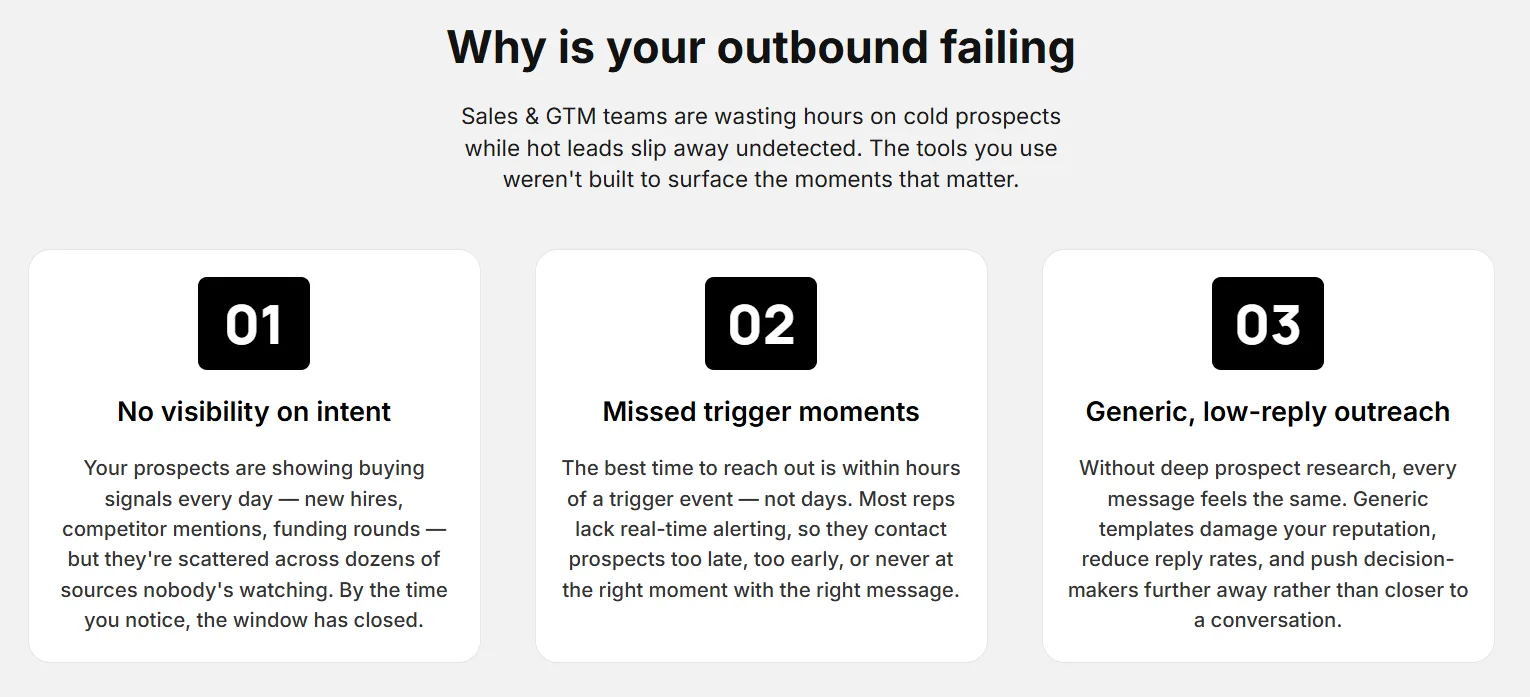
Agent 1 assumes you're feeding it someone who showed a real-time buying behaviour. Point it at a static list and it'll produce sharp analysis on people who simply aren't in-market this week. That's why most outbound stalls at ~1% reply rates even with great prompts. The teams hitting 14–47% aren't the ones with the best copy — they're the ones feeding their agents prospects who engaged with a competitor, changed roles, raised, or expanded in the last 72 hours.
Problem 2: The research eats the day
Build the signal layer yourself — monitoring competitor engagement, funding announcements, job changes, hiring spikes — and you'll spend ~3 hours per rep per day finding leads instead of working them. Add 15–20 minutes of research and analysis per prospect on top, and a single SDR's day is gone before a message goes out.
How Coolie fits in
Coolie runs the layers these prompts can't:
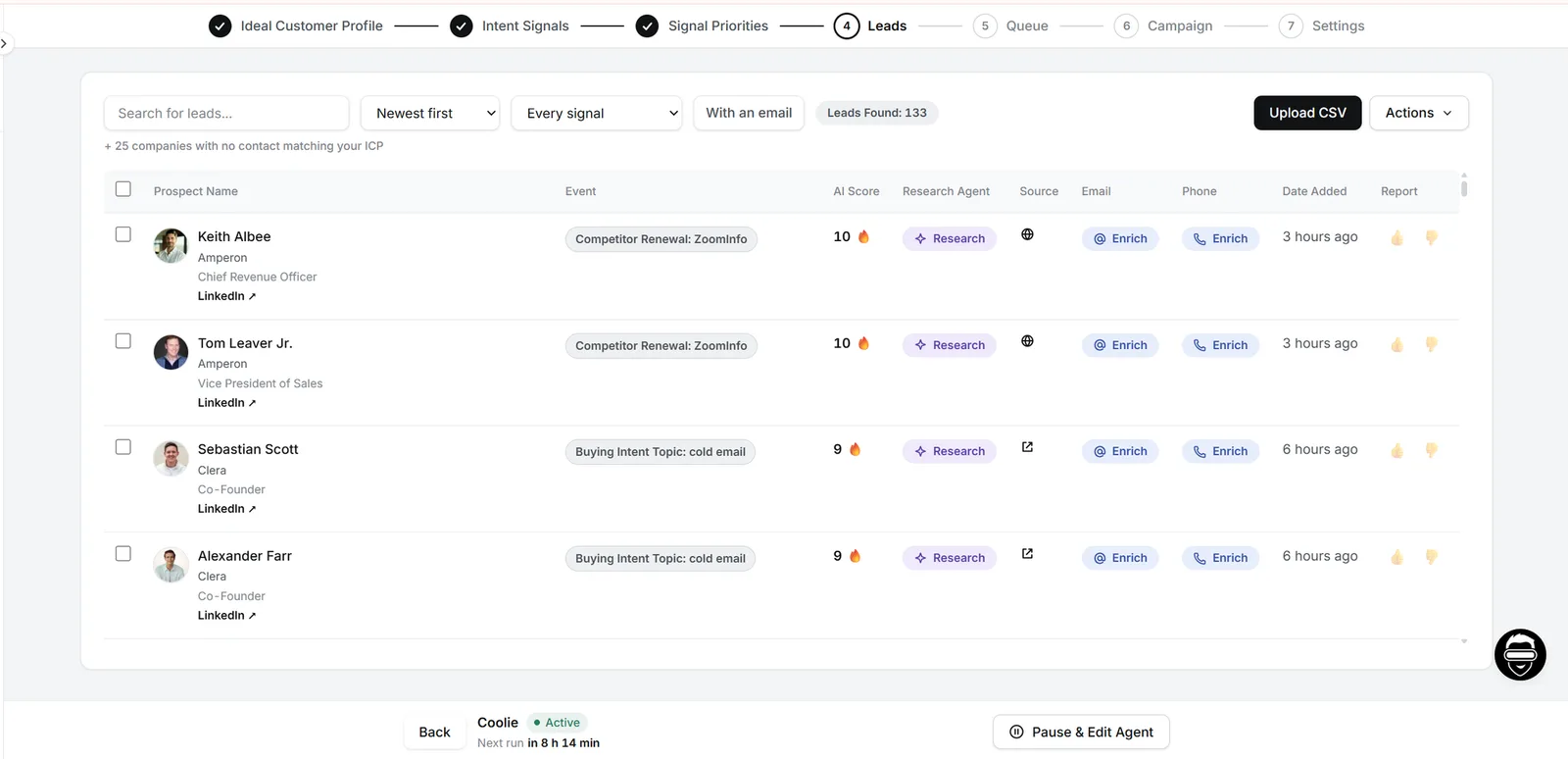
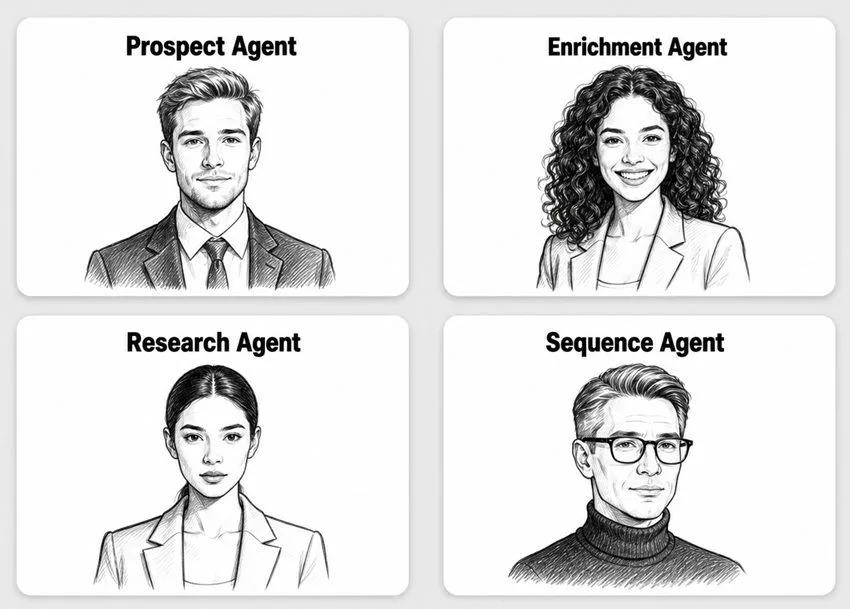
- The Prospect Agent monitors LinkedIn, news, job boards and financial filings 24/7 across 40+ signal events and surfaces matched, in-market prospects every morning.
- The Enrichment Agent enriches every prospect with firmographic data, technographic insights, and social proof — then scores and ranks them against your exact ICP so your team focuses only on the highest-value accounts.
- The Research Agent runs Agents 1 through 3 — 300+ data points, the five-question value map, and the deep insight analysis — ranked and ready in seconds.
- The Sequence Agent writes the full 7-day, 4-channel cadence from Agent 4, anchored to the winning insight.
You bring the judgement and the send. Coolie brings the warm leads and the speed. Same framework either way — the library above is yours to run by hand or let the agents run for you.
What This Stack Produces
These are real numbers from real campaigns we run with this exact system — not projections. Here's what we see, plus what the first four weeks realistically look like (no "9 calls in 2 days" promises; that comes once the system has data to learn from):
| Metric | Result |
|---|---|
| LinkedIn reply rate | ~45% (57% connection acceptance) |
| Email reply rate | ~14% |
| Prospects worked per booked meeting | ~25 (vs. ~200 on cold outbound) |
| Demos booked per day | 3–5 |
| Steady-state cadence | 18+ qualified conversations per week |
Week 1 — Set up your ICP, switch on 3–5 signal agents, work the first batch → 50–100 leads, 10–15 conversations, 2–3 meetings.
Week 2 — Cut the weak signals, run full 4-channel sequences → 100–150 leads, 25–30 conversations, 5–8 meetings.
Week 3 — Add more agents, push the full 7-day cadence → 300–400 leads, 40–50 conversations, 10–15 meetings.
Week 4+ — Reply data sharpens which insights land. This is when you hit 18+ a week consistently.
Get Started
→ Create a free Coolie account: trycoolie.ai (7-day trial) — most teams have signals running through their pipeline within 10 minutes.
Run the prompts above manually with your own signal sources, or let Coolie's agents feed them warm, in-market leads on autopilot. Native HubSpot integration; Salesloft and Reply on request. Message us inside the product and our team replies in under an hour to walk you through your first campaign live.
Built for B2B SaaS founders prospecting solo, GTM and RevOps teams running outbound at scale, and sales leaders who want their reps spending time on conversations instead of research tabs.
The library doesn't expire. Happy prospecting. 🚀
— Shabbir, Co-founder, Coolie
Real Results From Teams Running This System ⬇️
1. How Recruiterflow's Sales Team Tripled Reply Rates in One Week
→ Click here to read the full case-study
2. How Datatracks 6x Email Reply Rates and Gave ~208 Hours
→ Click here to read the full case-study